Family1st GPS Tracker Review: Complete Guide
Are you worried about your car’s safety? Do you want to keep track of your loved ones? Family1st GPS tracker offers a simple solution for real time tracking.
This device helps you monitor vehicles, kids, elderly parents, and valuable assets. You get peace of mind with accurate location updates.
The tracker works with a mobile app. You can check locations anytime from your phone. This review covers everything you need to know about Family1st GPS trackers available on Amazon.
Key Takeaways
- Real time tracking accuracy: Family1st GPS trackers use 4G LTE networks for precise location updates. You get instant notifications when your vehicle moves.
- Long battery life: Most models offer 14 to 30 days of battery life on a single charge. You don’t need to recharge frequently.
- Multiple use cases: Track cars, motorcycles, kids, elderly family members, pets, and valuable assets. One device serves many purposes.
- Geofencing alerts: Set up virtual boundaries and receive instant alerts when the tracker crosses these zones. This helps monitor safe areas for kids and vehicles.
- Affordable pricing: Device costs start from $14.95 on Amazon. Monthly subscription plans are budget friendly compared to competitors.
- Easy setup process: No professional installation needed. Activate the tracker through the mobile app in minutes. The magnetic case attaches to vehicles easily.

Family1st Portable GPS Tracker For Vehicles
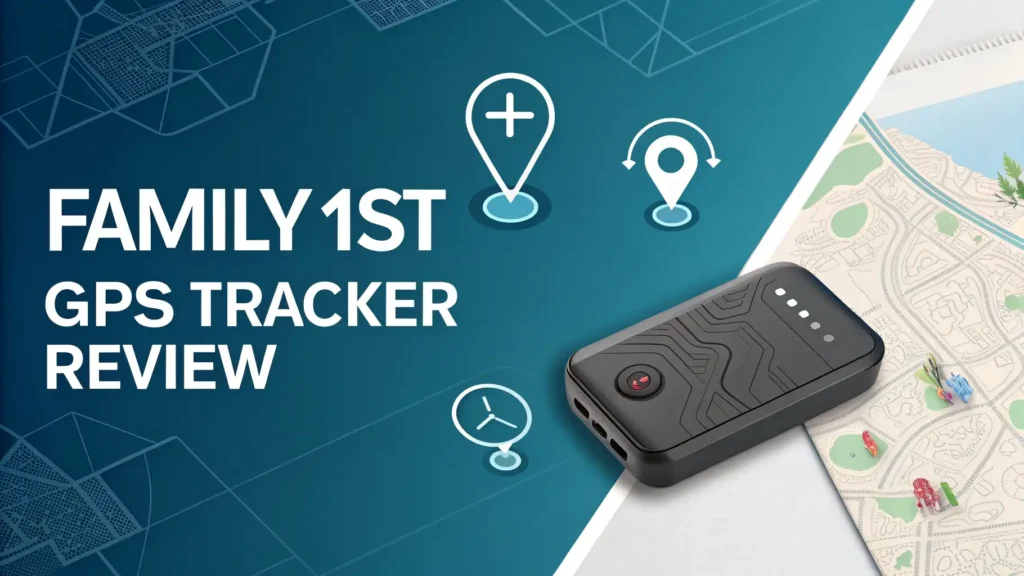
This model offers exceptional battery life up to 30 days. The device comes with a waterproof magnetic case. You can stick it to any metal surface on your vehicle. The case protects against rain, dust, and moisture. The tracker measures 2.8 x 1.8 x 1.1 inches. It weighs only 3.6 ounces. You barely notice it once installed.
The device uses 4G LTE networks for fast data transmission. You get location updates every 10 seconds in active mode. The tracker switches to power saving mode when the vehicle stops moving. This extends battery life significantly. You receive instant notifications when the vehicle starts moving. The geofence feature alerts you when the car enters or leaves specific areas.
The mobile app shows detailed route history. You can see where your vehicle traveled over the past 90 days. The app displays speed information. You know if your teen driver exceeds speed limits. The tracker works worldwide. You can use it during international trips. The magnetic mount is strong enough to stay attached during highway driving.
Family1st Portable Automobile GPS Tracker

This automobile tracker focuses on vehicle theft protection. The device offers real time tracking with instant alerts. Battery life reaches up to 30 days with the basic plan. The compact design fits in glove compartments or under seats. You can hide it anywhere in your vehicle. Thieves won’t notice it easily.
The tracker sends movement alerts immediately. Your phone buzzes when someone starts your car. You can track the vehicle’s path in real time. The app shows the exact route the thief takes. This information helps police recover your vehicle faster. The device works with law enforcement. Many stolen car recoveries happen with Family1st trackers.
The tracker includes historical playback features. You review past trips and routes. This helps monitor employee vehicles or teen drivers. The app shows where they stopped and how long they stayed. You can set up multiple geofences. Receive alerts for school zones, work locations, or home areas.
How Family1st GPS Tracking Works
Family1st trackers use GPS satellite technology combined with cellular networks. The device receives signals from multiple GPS satellites. These satellites orbit Earth and broadcast their locations. The tracker calculates its position by measuring signals from at least four satellites. This gives accurate latitude and longitude coordinates.
The tracker then sends this location data through 4G LTE cellular networks. The information goes to Family1st servers. The mobile app connects to these servers. You see the location displayed on a map. The entire process happens in seconds. You get real time updates as the tracker moves.
The device has different tracking modes. Active mode updates location every 10 seconds. This drains battery faster but gives precise tracking. Normal mode updates every 60 seconds. This balances battery life with accuracy. Sleep mode activates when the tracker stays still. The device wakes up when it detects movement. This saves significant battery power.
Top 3 Alternative For Family1st GPS Tracker


Key Features Of Family1st GPS Trackers
Real time location tracking stands as the primary feature. You see where your tracker is at any moment. The map updates continuously. You watch the tracker move along roads in real time. The app shows the current address and coordinates. You can share location links with family members or authorities.
Geofence alerts protect your loved ones and assets. Set up unlimited virtual boundaries. The app lets you create circles, rectangles, or custom shapes. You name each geofence for easy identification. When the tracker enters “School” or exits “Home,” you get instant notifications. This helps monitor kids, elderly parents, or vehicles.
Speed monitoring helps manage teen drivers and employees. Set maximum speed limits in the app. Receive alerts when the tracker exceeds these limits. The app shows the current speed and average speed for trips. This feature reduces speeding incidents. Many parents report safer driving after enabling speed alerts.
Historical route playback provides detailed trip records. View where the tracker went over the past 90 days. The app shows complete routes with timestamps. You see stops, driving time, and distances traveled. This helps verify employee work locations or check if kids went where they said.
Setting Up Your Family1st GPS Tracker
Unbox and charge your tracker first. Connect the USB cable to the device. Plug it into any USB power source. The LED indicator shows charging status. Red light means charging. Green light indicates full charge. Initial charging takes about 2 hours. Always start with a full battery.
Download the Family1st app from App Store or Google Play. Search for “Family1st GPS” in your phone’s app store. Install the free application. Open the app after installation completes. The app works on both iOS and Android devices. You need a smartphone with internet connection.
Create your account in the app. Tap “Sign Up” or “Register.” Enter your email address and create a password. Use a strong password with letters, numbers, and symbols. Verify your email address. Check your inbox for a verification link. Click the link to activate your account.
Add your tracker to the account. Find the IMEI number on the device. It’s printed on a sticker on the back. Tap “Add Device” in the app. Enter the IMEI number carefully. Give your tracker a name like “My Car” or “Dad’s Tracker.” This helps identify multiple devices.
Activate the subscription plan. Choose monthly or yearly billing. Enter your payment information. Family1st offers different plans. Basic plans cost around $10 to $20 per month. Premium plans with extended features cost more. Some Amazon packages include free months.
Install the tracker in your vehicle or attach to items. For vehicles, place it under the dashboard. You can hide it in the center console. Use the magnetic case to stick it under the car. Make sure the GPS antenna faces the sky. Metal blocks GPS signals, so avoid fully enclosed metal boxes.
Test the tracking before relying on it. Open the app and check if the location shows correctly. Walk or drive around with the tracker. Watch the location update on the map. Test geofence alerts by crossing boundaries. Verify speed alerts work by exceeding set limits.
Battery Life And Charging Tips
Family1st trackers offer 14 to 30 days of battery life. Battery duration depends on tracking frequency and usage mode. Active tracking with 10 second updates drains battery faster. Standard mode with 60 second updates provides balanced performance. Sleep mode extends battery life significantly.
Factors affecting battery life include cellular signal strength and GPS usage. Weak cell signals force the tracker to boost transmission power. This drains battery faster. Frequent location updates use more battery. Constant motion keeps the device active. Stationary trackers last longer.
Power saving tips help maximize battery duration. Enable sleep mode when you don’t need constant tracking. Increase update intervals from 10 seconds to 60 seconds. This reduces power consumption by 50% or more. Disable unnecessary features like historical route recording if you don’t use them.
Mobile App Interface And Features
The Family1st mobile app provides the control center for all tracking activities. The interface uses simple icons and clear labels. Even non tech users navigate easily. The home screen displays a map with tracker locations. Blue dots show device positions. Tap any dot to see details.
Real time tracking view dominates the main screen. The map updates automatically as trackers move. You see current speed, direction, and address. The map supports different views. Switch between standard map, satellite imagery, and terrain views. Zoom in for street level details or zoom out for regional views.
Device management panel lists all your trackers. Each device shows battery level, connection status, and last update time. Tap a device to see detailed information. The panel displays IMEI numbers, activation dates, and subscription status. You can rename devices or remove them from your account.
Use Cases For Family1st GPS Trackers
Teen driver monitoring ranks as the top use case. Parents track where their teens drive. Speed alerts notify when teens exceed safe limits. Geofences ensure teens stay in approved areas. Historical routes verify trips to school or friends’ houses. This promotes responsible driving habits.
Elderly care tracking provides peace of mind. Seniors with dementia or Alzheimer’s might wander. Trackers help locate them quickly. Caregivers receive alerts when elderly parents leave safe zones. The device clips to clothing or goes in pockets. Many families prevent dangerous situations with GPS tracking.
Vehicle theft prevention helps recover stolen cars. The tracker hides in vehicles discreetly. Thieves don’t notice small GPS devices. When theft occurs, you provide police with real time location. Many jurisdictions prioritize cases with active tracking. Recovery rates increase significantly with GPS data.
Subscription Plans And Costs
Family1st requires monthly subscriptions for cellular service. The tracker hardware alone doesn’t provide tracking. You need data plans to transmit location information. Family1st offers several plan tiers. Each plan includes different features and update frequencies.
Basic plan costs around $10 to $15 monthly. This plan provides real time tracking with 60 second updates. You get geofence alerts and basic location history. The plan stores 30 days of route data. Basic support through email is included. This plan suits casual users who check locations occasionally.
Standard plan ranges from $15 to $20 per month. Update frequency increases to every 30 seconds. Location history extends to 60 days. You receive speed alerts and detailed trip reports. Priority email support responds faster. This plan works well for teen driver monitoring and fleet management.
Pros And Cons Of Family1st GPS Trackers
Advantages make Family1st popular among users. The affordable device price attracts budget conscious buyers. Starting at $14.95 on Amazon beats competitor pricing. The low entry cost makes GPS tracking accessible. Many families buy multiple trackers without breaking budgets.
Long battery life eliminates constant charging hassles. Users appreciate 14 to 30 days between charges. This beats many competitors offering only 3 to 5 days. Less charging means more reliable tracking. Your device stays active when you need it most.
Easy setup process requires no technical skills. Download an app, scan the IMEI, and start tracking. No professional installation needed. Most users complete setup in 10 minutes. This contrasts with hardwired trackers requiring mechanic installation.
Customer Reviews And Experiences
Amazon customers share mixed but generally positive experiences. The 4.0 to 4.1 star ratings reflect satisfied majority with some disappointed users. Over 2600 combined reviews provide substantial feedback. Reading reviews helps set realistic expectations.
Positive reviews praise several aspects. Many users mention successful vehicle recoveries after theft. “Found my stolen truck in 3 hours thanks to real time tracking,” one reviewer writes. Police cooperation improves with GPS data. Users appreciate peace of mind knowing they can locate vehicles.
Battery performance exceeds expectations for many. “Goes almost a month without charging,” notes a happy customer. Users compare this favorably to competitors needing weekly charges. Long battery life reduces maintenance and ensures continuous protection.
App functionality receives compliments. Users find the interface intuitive. “My 70 year old mother uses it without help,” one review states. The map display clearly shows locations. Alerts arrive promptly. Historical playback helps parents monitor teen drivers effectively.
Customer service gets positive mentions. Support responds to questions within 24 hours. Activation problems get resolved quickly. Users appreciate the help during setup. Email support handles most issues adequately.
Negative reviews highlight specific issues. Signal problems in certain areas frustrate some users. “Doesn’t work in my rural town,” one customer complains. Cellular coverage gaps cause tracking interruptions. Users in remote areas experience more problems.
Update delays occasionally occur. Some reviews mention 5 to 10 minute gaps in location data. While advertised as real time, cellular network issues cause delays. Most users accept minor delays, but some expected instant updates.
Subscription confusion appears in reviews. Several customers didn’t realize monthly fees were required. “Wish I knew about subscription before buying,” one reviewer notes. Reading product descriptions carefully prevents this surprise.
Device durability concerns arise after extended use. Some trackers fail after 12 to 18 months. Water resistance holds up well according to reviews. However, general wear and tear affects some units. Build quality seems adequate but not premium.
Privacy And Security Considerations
Data encryption protects your tracking information. Family1st uses SSL encryption for data transmission. Location data travels securely from tracker to servers. The mobile app connects through encrypted channels. This prevents hackers from intercepting location information.
Account security depends on your password strength. Use unique passwords with mixed characters. Enable two factor authentication if available. Don’t share login credentials. Each family member should have separate accounts when possible.
Legal tracking requirements vary by location. You can legally track vehicles you own. Parents can monitor minor children without consent. Tracking adults without permission might violate laws. Check local regulations before tracking employees or spouses.
Troubleshooting Common Issues
Location not updating frustrates many users. First, check the cellular signal strength in your area. Open the app and verify the device shows as connected. Green status means connected. Red or yellow indicates problems. Move the tracker to an area with better coverage. Indoor locations and basements block signals.
Restart the tracker by holding the power button for 10 seconds. Wait 30 seconds, then power it back on. This resolves many connection issues. Check if your subscription is active. Expired plans stop location updates immediately. Renew subscriptions through the app.
Inaccurate locations appear sometimes. GPS accuracy depends on satellite visibility. Move the tracker near windows or outdoors. Metal enclosures block GPS signals completely. Car trunks lined with metal cause accuracy problems. Place trackers on dashboards or near windows.
Frequently Asked Questions
How often does Family1st GPS tracker update location?
Family1st trackers update locations every 10 seconds in active mode. Standard mode updates every 60 seconds. Sleep mode conserves battery by updating only when movement occurs. You can adjust update frequencies through the mobile app. More frequent updates drain battery faster.
Can I use Family1st GPS tracker internationally?
Yes, Family1st trackers work in many countries worldwide. The 4G LTE device connects to international cellular networks. However, coverage depends on roaming agreements. Check with Family1st support about specific countries. Some international locations might require different subscription plans. Additional roaming charges might apply.
Does Family1st GPS tracker work indoors?
Family1st trackers have limited indoor functionality. GPS signals struggle to penetrate buildings. Accuracy drops significantly indoors. The tracker might show locations 100 to 500 feet off. Near windows, indoor tracking improves. Basements and interior rooms rarely get GPS signals. The device uses cellular tower triangulation as backup.
How many geofences can I create with Family1st?
Family1st allows unlimited geofences with premium plans. Basic plans might limit geofence numbers. Check your subscription details for specific limits. Each geofence can be circular or custom polygon shapes. Name geofences for easy identification.
What is the smallest area I can create for geofence alerts?
Minimum geofence size should be at least 200 feet in diameter. Smaller geofences trigger false alerts due to GPS accuracy variations. The tracker’s 30 foot accuracy means positions fluctuate slightly. Very small geofences cause constant entry and exit notifications.
Can multiple people track the same Family1st device?
Yes, Family1st supports sharing tracker access. The primary account holder generates sharing links. These links allow others to view locations without full account access. Set expiration times for temporary sharing. Family members can receive separate login credentials. This lets multiple people monitor the same device.
How long does Family1st store location history?
History storage depends on your subscription plan. Basic plans store 30 days of location data. Standard plans keep 60 days of history. Premium plans offer 90 days or more. After these periods, old data gets permanently deleted. Export important routes before they expire.
What happens if my Family1st tracker runs out of battery?
The tracker stops transmitting when battery dies. Your app shows the last known location before power loss. Low battery alerts warn you before complete discharge. The app notifies at 20%, 10%, and 5% battery levels. Charge the tracker promptly when warnings appear.