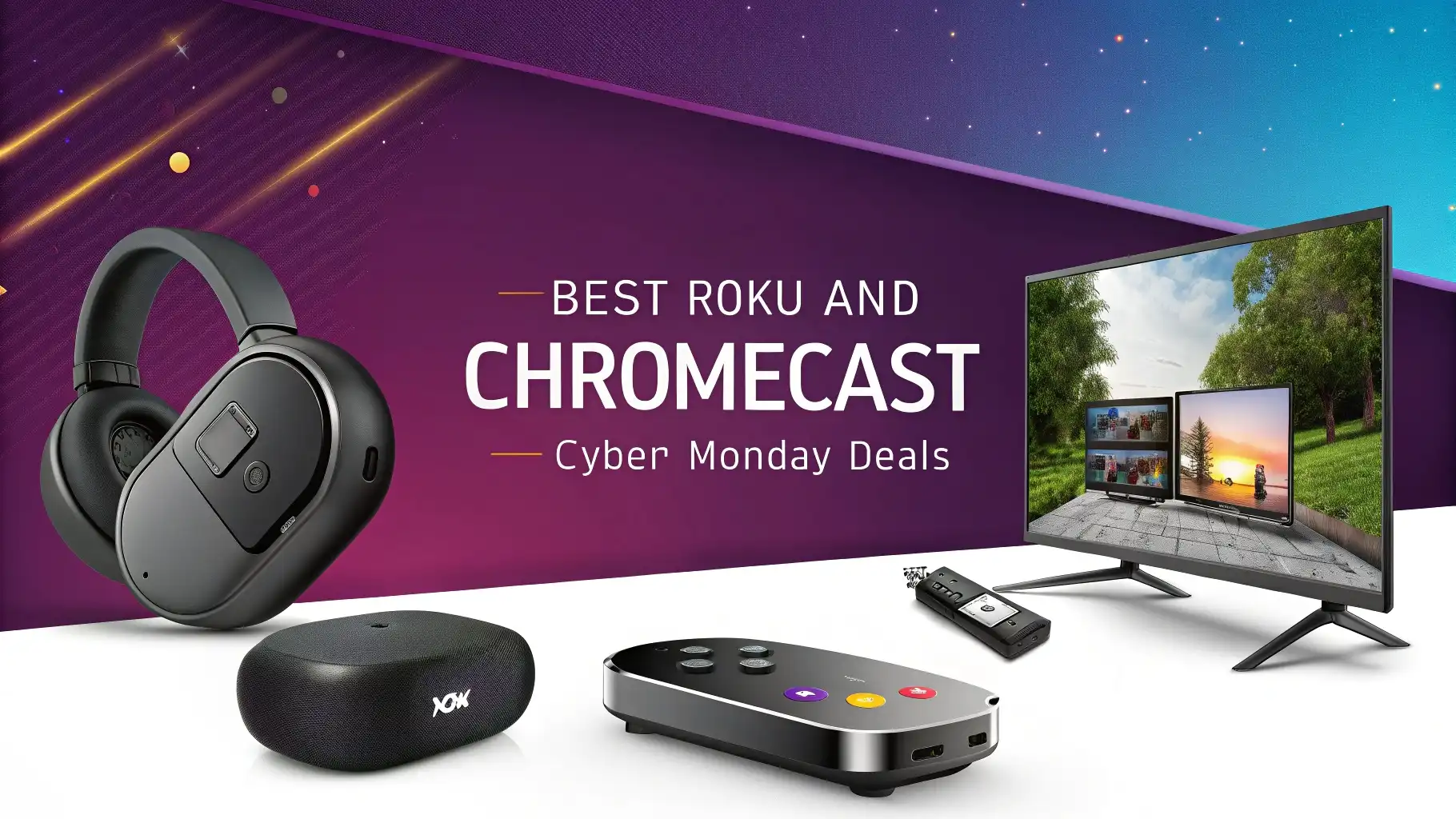
6 Best Roku and Chromecast Cyber Monday Deals in 2026
Cyber Monday 2026 brings incredible opportunities to upgrade your streaming setup without breaking the bank. This year’s deals on Roku and Chromecast devices offer some of the best prices we’ve seen.
Streaming has become the primary way people watch their favorite shows, movies, and live content. The right streaming device can transform your viewing experience completely.
This guide walks you through the top 6 streaming device deals available right now, helping you make an informed decision that matches your budget and viewing preferences.
Key Takeaways:
- Budget Matters: Streaming devices now start as low as $15 during Cyber Monday sales, making premium entertainment accessible to everyone. You don’t need to spend a fortune to enjoy 4K streaming and thousands of channels.
- 4K is Standard: Most modern streaming devices support 4K HDR content, ensuring you get the best picture quality your TV can display. This technology brings cinema-quality visuals right into your living room.
- Voice Control is Essential: Every featured device includes voice remote capabilities, allowing you to search for content, control playback, and even manage smart home devices using simple voice commands.
- Free Content Available: Both Roku and Google platforms offer extensive libraries of free streaming channels and live TV options, reducing your monthly entertainment costs significantly.
- Installation Takes Minutes: These plug-and-play devices connect directly to your TV’s HDMI port and can be set up in less than 10 minutes, even if you’re not tech-savvy.
Roku Streaming Stick HD 2026: Best Budget Option

The Roku Streaming Stick HD 2026 represents the most affordable entry point into quality streaming. This compact device plugs directly into your TV’s HDMI port, disappearing behind your television. At just $15 during Cyber Monday sales, it offers exceptional value for money.
The device delivers smooth HD streaming with crisp picture quality. You get access to over 500,000 movies and TV episodes across thousands of free and paid channels. The included Roku Voice Remote makes finding content incredibly easy.
Simply press the microphone button and speak your request. The interface is clean and straightforward, making navigation a breeze for users of all ages.
This model works perfectly for bedrooms, guest rooms, or anyone who doesn’t need 4K resolution. The wireless performance is reliable, connecting seamlessly to your home Wi-Fi network. Setup takes approximately 5 minutes from box to streaming.
Roku’s platform remains ad-supported but the trade-off comes with access to genuinely free content through Roku Channel and other services.
Pros:
Extremely affordable at $15
Simple interface perfect for beginners
Includes voice remote control
Access to massive content library
Compact design hides behind TV
Cons:
Limited to HD resolution only
No Dolby Vision or HDR support
Slower processor than premium models
Basic remote without advanced features
Roku Streaming Stick 4K: Premium Performance at Mid-Range Price

The Roku Streaming Stick 4K elevates your viewing experience with stunning 4K HDR capabilities. Priced at $24.99 during Cyber Monday, this device offers premium features at a budget-friendly cost. The HDR10 and Dolby Vision support ensures your compatible TV displays the richest colors and deepest contrasts available.
This model includes long-range Wi-Fi technology, providing stable connections even if your router sits far from your TV. The enhanced wireless performance means fewer buffering interruptions during your favorite shows.
The voice remote works with Alexa and Google Assistant, giving you multiple ways to control your entertainment. You can search across channels, launch apps, and adjust settings using natural language commands.
The powerful processor inside handles 4K content smoothly, switching between apps quickly without lag. Private listening through the Roku mobile app lets you watch late-night content without disturbing others. The device supports Apple AirPlay and screen mirroring from your smartphone or tablet.
Pros:
Excellent 4K HDR picture quality
Dolby Vision support included
Long-range Wi-Fi connectivity
Fast processor for smooth navigation
Works with Alexa and Google Assistant
Cons:
No Ethernet port option
Remote lacks TV controls
Requires frequent software updates
Can get warm during extended use
Roku Ultra 2024: Ultimate Streaming Powerhouse

The Roku Ultra 2024 stands as the flagship streaming device in Roku’s lineup. Currently available at $68.99, this premium player justifies its higher price with exceptional features. The device supports every major video format including HDR10+, Dolby Vision, and Dolby Atmos for immersive audio.
The included Voice Remote Pro features a rechargeable battery, eliminating the need for constant replacements. Backlit buttons make navigation easy in dark rooms. The remote also includes programmable shortcuts and TV controls for power and volume.
Ethernet port connectivity provides the most stable connection possible, perfect for uninterrupted 4K streaming. The USB port allows you to play personal media files from external drives. Bluetooth connectivity lets you connect wireless headphones for private listening sessions.
The Wi-Fi 6 support ensures future-proof performance as internet speeds increase. This device includes a lost remote finder that makes the remote beep when you press a button on the player itself.
Pros:
Supports all premium formats
Rechargeable remote with backlit buttons
Ethernet and Wi-Fi 6 connectivity
USB port for local media playback
Lost remote finder feature
Cons:
Most expensive Roku option
Larger size requires more space
Overkill for basic streaming needs
Remote can be complex for some users
Google TV Streamer 4K: Smart Home Hub Meets Streaming Device

The Google TV Streamer 4K replaces the classic Chromecast with a more powerful streaming solution. At $74.99 during Cyber Monday sales, this device offers more than just streaming capabilities.
The set-top box design sits elegantly near your TV, doubling as a smart home control hub. With 32GB of storage, you can download plenty of apps and games. The Google TV interface uses AI-powered recommendations to suggest content based on your viewing habits.
The voice remote includes dedicated buttons for Netflix and YouTube, providing instant access to popular services. Google Assistant integration allows you to control smart lights, thermostats, and other compatible devices directly from your couch.
The 4K HDR support ensures beautiful picture quality across all your streaming services. Thread and Matter support make this device a central hub for your smart home ecosystem. The processor handles intensive apps and games smoothly without lag.
Pros:
Acts as smart home hub
Large 32GB storage capacity
AI-powered content recommendations
Thread and Matter support
Sleek modern design
Cons:
Most expensive option featured
Requires Google account
Larger footprint than stick devices
Learning curve for new users
Roku Streaming Stick Plus 2026: Balanced Performance and Value

The Roku Streaming Stick Plus 2026 hits the sweet spot between price and performance. Available for just $19 during Cyber Monday, this device punches well above its weight class.
The 4K and HDR support delivers excellent picture quality on compatible televisions. The stick form factor keeps your setup clean and minimalist. Enhanced wireless technology ensures strong connections throughout your home.
This model includes the standard Roku Voice Remote with TV power and volume controls. The interface provides access to the same massive content library as more expensive Roku devices.
Free live TV channels give you news, sports, and entertainment without subscription fees. The quick startup time gets you streaming in seconds rather than minutes. Cross-platform search helps you find the best price for movies and shows across different streaming services.
Pros:
Excellent value at $19
Full 4K HDR support
TV controls on remote
Strong wireless connectivity
Access to free live TV
Cons:
No Dolby Vision support
Standard remote without backlighting
Less powerful than Roku Ultra
No Ethernet option available
Roku Ultra LT 2023: Previous Generation Power at Bargain Price

The Roku Ultra LT 2023 offers premium features from last year’s model at a reduced price of $49. This box-style player includes Ethernet connectivity for rock-solid streaming performance.
The quad-core processor handles 4K content effortlessly. HDR, HDR10+, and Dolby Vision support ensure compatibility with all major video formats. The included Voice Remote features private listening through the headphone jack.
The device comes with an HDMI cable in the box, saving you an additional purchase. USB connectivity allows playback of personal media from flash drives or external hard drives. The reliable performance makes this an excellent choice for serious streamers who want guaranteed quality.
Lost remote finder functionality helps locate your remote when it inevitably disappears between couch cushions. While not the latest model, it still receives regular software updates and new features.
Pros:
Includes Ethernet port
Comes with HDMI cable
Private listening via headphone jack
USB port for local media
Excellent processor speed
Cons:
Older generation model
Larger physical size
Remote not rechargeable
No Wi-Fi 6 support
Understanding Roku vs Chromecast Differences
Roku devices operate on a dedicated streaming platform with a simple, channel-based interface. The home screen displays all your installed apps in a customizable grid format.
Roku’s universal search scans across multiple streaming services simultaneously, showing you where content is available and at what price. The platform remains neutral, giving equal prominence to all streaming services rather than favoring specific ones.
Google TV Streamer uses an AI-driven interface that learns your preferences over time. The home screen aggregates content recommendations from various services into themed rows. This approach can help you discover new shows and movies you might enjoy.
However, it requires a Google account and shares your viewing habits with Google’s ecosystem. The smart home integration sets Google’s device apart, allowing comprehensive home automation control from your TV remote.
Both platforms support major streaming services including Netflix, Hulu, Disney+, HBO Max, and Amazon Prime Video. Roku offers slightly more niche channels and free content options.
Google TV provides better integration with YouTube and Google Play purchases. Your choice often comes down to personal preference and whether you’re already invested in Google’s ecosystem.
What to Consider Before Buying Your Streaming Device
Picture Quality Needs: Determine whether you own a 4K television. If your TV maxes out at 1080p resolution, save money with an HD streaming device.
However, buying 4K-capable hardware now future-proofs your setup for when you eventually upgrade your television. HDR support makes a noticeable difference in picture quality, providing more vibrant colors and better contrast.
Internet Speed: Check your home internet connection speed before purchasing. Standard HD streaming requires at least 5 Mbps, while 4K content needs 25 Mbps or higher. If your internet speeds are slower, stick with HD devices to avoid constant buffering frustrations.
Smart Home Integration: Consider whether you use smart home devices. Google TV Streamer excels at controlling lights, thermostats, cameras, and other compatible smart products. Roku devices offer basic smart home controls but lack the deep integration Google provides.
Remote Preferences: Think about remote control features that matter to you. Backlit buttons help in dark rooms. Rechargeable batteries eliminate frequent replacements. TV power and volume controls reduce remote clutter. Voice search capabilities make finding content much faster than typing with a directional pad.
Content Subscriptions: Review which streaming services you actually use. Both platforms support major services, but some niche channels may only be available on one platform. Check compatibility before purchasing to avoid disappointment.
Maximizing Your Cyber Monday Streaming Device Purchase
Compare prices across multiple retailers, though Amazon typically offers the best Cyber Monday deals on these products. Check for bundle deals that include streaming service subscriptions or extended warranties.
Read the return policy carefully in case the device doesn’t meet your expectations. Most retailers offer 30-day return windows during the holiday shopping season.
Set up your new device immediately after purchase to ensure it works properly. Test all features within the return window. Connect to your Wi-Fi network and sign into your streaming accounts. Download your most-used apps first and verify they function correctly. Check picture quality with 4K content if applicable.
Consider buying extra HDMI cables or extension cables if your TV’s HDMI ports are difficult to reach. Some stick-style devices struggle with Wi-Fi connectivity when plugged directly into tightly-packed ports. An HDMI extender cable provides better positioning and improved wireless reception.
Create a Roku or Google account before your device arrives to speed up the setup process. Link payment methods if you plan to rent or purchase movies. Enable parental controls if children will use the device. Set up voice assistants for hands-free control capabilities.
Why Cyber Monday is the Best Time to Buy Streaming Devices
Retailers offer their deepest discounts during Cyber Monday sales. Streaming devices see price cuts ranging from 30% to 60% off regular retail prices.
These deals often match or beat Black Friday pricing. Manufacturers introduce updated models in the fall, making previous generations more affordable. Stock levels remain good during Cyber Monday compared to the holiday rush in mid-December.
Many credit cards offer additional rewards or cashback on electronics purchases during Cyber Monday. Combine these benefits with sale prices for maximum savings. Free shipping is standard during this period, eliminating additional costs. Extended return policies give you extra time to test products and return them if needed.
Streaming services frequently offer promotional subscriptions with new device purchases. You might receive free months of premium services like Paramount+, Apple TV+, or other platforms.
These bundled deals significantly increase the value of your purchase. Read promotional details carefully to activate time-limited offers before they expire.
FAQs
How do Roku devices compare to Amazon Fire TV Stick?
Roku devices offer a more neutral platform that doesn’t favor any particular content provider. The interface gives equal visibility to all streaming services. Amazon Fire TV Stick heavily promotes Amazon Prime Video content and integrates deeply with Amazon’s ecosystem.
Fire TV works better if you’re already an Amazon Prime member and frequently purchase or rent movies from Amazon. Roku provides better universal search across multiple services simultaneously. Fire TV offers tighter smart home integration with Alexa-enabled devices. Both platforms support major streaming services equally well.
Can I use streaming devices without a smart TV?
Yes, streaming devices work perfectly with any television that has an HDMI port. You don’t need a smart TV at all. These devices essentially transform any regular TV into a smart television with streaming capabilities.
Connect the device to an available HDMI input, power it on, and connect to your Wi-Fi network. Your old non-smart TV gains access to Netflix, YouTube, Hulu, and thousands of other streaming channels. This represents a much more affordable solution than buying an entirely new smart television.
Do streaming devices require monthly subscription fees?
The devices themselves have no monthly fees after the initial purchase. However, accessing premium content on services like Netflix, Hulu, Disney+, or HBO Max requires separate subscriptions to those services. Both Roku and Google platforms offer extensive free content through ad-supported channels.
You can watch thousands of movies, TV shows, and live channels without paying subscription fees. Free options include The Roku Channel, Pluto TV, Tubi, and many others that provide legitimate streaming content supported by advertisements.
Will these devices work with my existing streaming subscriptions?
Yes, both Roku and Google TV Streamer support all major streaming services. You can sign into your existing Netflix, Hulu, Disney+, HBO Max, Amazon Prime Video, Apple TV+, and other accounts. Your watch history, preferences, and recommendations carry over from other devices.
Simply download the apps and log in with your credentials. Both platforms support simultaneous use across multiple devices, so you can watch on your TV while family members stream on phones or tablets.
Which device offers the best remote control experience?
The Roku Ultra features the most advanced remote with a rechargeable battery, backlit buttons, and programmable shortcuts. The Voice Remote Pro eliminates battery changes and works well in dark rooms. Google TV Streamer’s remote is simpler but includes dedicated Netflix and YouTube buttons.
Standard Roku devices come with basic voice remotes that work well but lack premium features. All featured remotes include voice search capabilities. The best remote depends on your priorities whether that’s battery life, button layout, or specific app shortcuts.