Aula F87 Pro Gaming Keyboard Review: Step-by-Step Guide
Gaming keyboards have changed a lot over the past few years. You no longer need to spend hundreds of dollars to get a quality typing experience. The Aula F87 Pro stands out as a perfect example of this shift.
This keyboard brings premium features like gasket mounting, hot swappable switches, and wireless connectivity at a price that most gamers can afford.
The results surprised me in the best way possible. This review will show you everything you need to know about the Aula F87 Pro before you buy it.
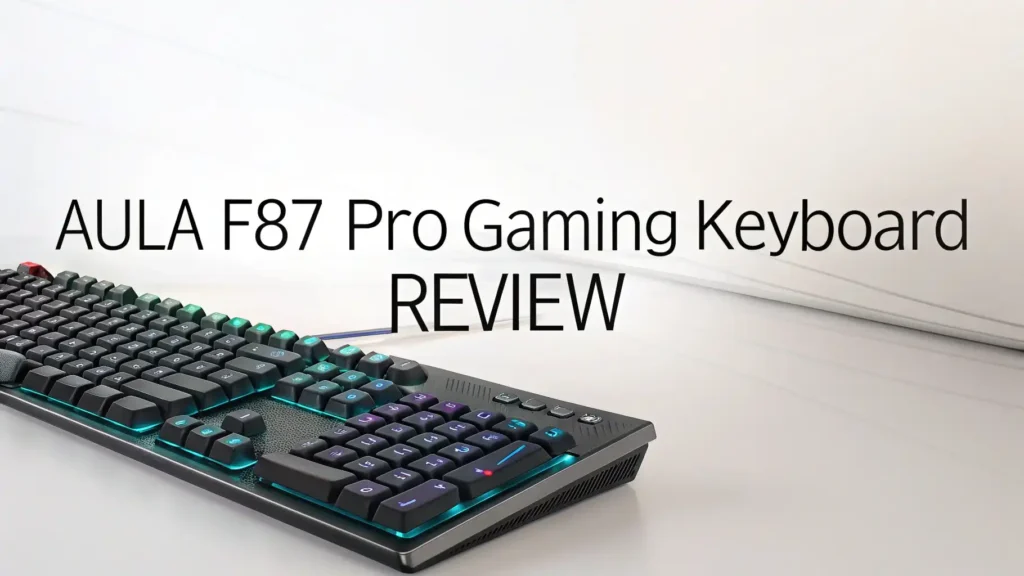
Key Takeaways:
- Premium Build Quality: The Aula F87 Pro features a five layer sound dampening system that includes IXPE padding, PORON cotton, and silicone underlays. This creates a smooth typing experience that rivals keyboards costing twice as much. The gasket mount design gives each keystroke a cushioned, premium feel.
- Triple Connectivity Options: You get three ways to connect your keyboard. Use the USB-C cable for zero latency gaming. Switch to 2.4GHz wireless for a reliable connection without cables. Connect via Bluetooth 5.0 when you want to pair with multiple devices like laptops or tablets.
- Hot Swappable Design: The keyboard comes with pre lubed LEOBOG switches that feel smooth right out of the box. But if you want to try different switches, you can swap them in seconds without any soldering. This feature usually only appears on expensive custom keyboards.
- Long Battery Life: A massive 4000mAh battery powers this keyboard for weeks on a single charge. You can use it wirelessly without worrying about running out of power during important gaming sessions or work deadlines.
- TKL Layout Benefits: The 87 key tenkeyless design saves desk space while keeping all the essential keys you need. This gives you more room for mouse movement during gaming. The compact size also makes it easy to carry in a backpack.
- Value for Money: At around $75, this keyboard delivers features and quality that normally cost $150 or more. You get premium switches, PBT keycaps, RGB lighting, and wireless connectivity without breaking the bank.

What is the Aula F87 Pro Gaming Keyboard
The Aula F87 Pro represents a new generation of budget gaming keyboards. Aula, a Chinese peripherals company, has built a strong reputation on social media for creating keyboards that punch above their weight. The F87 Pro takes their popular F87 model and adds improvements based on user feedback.
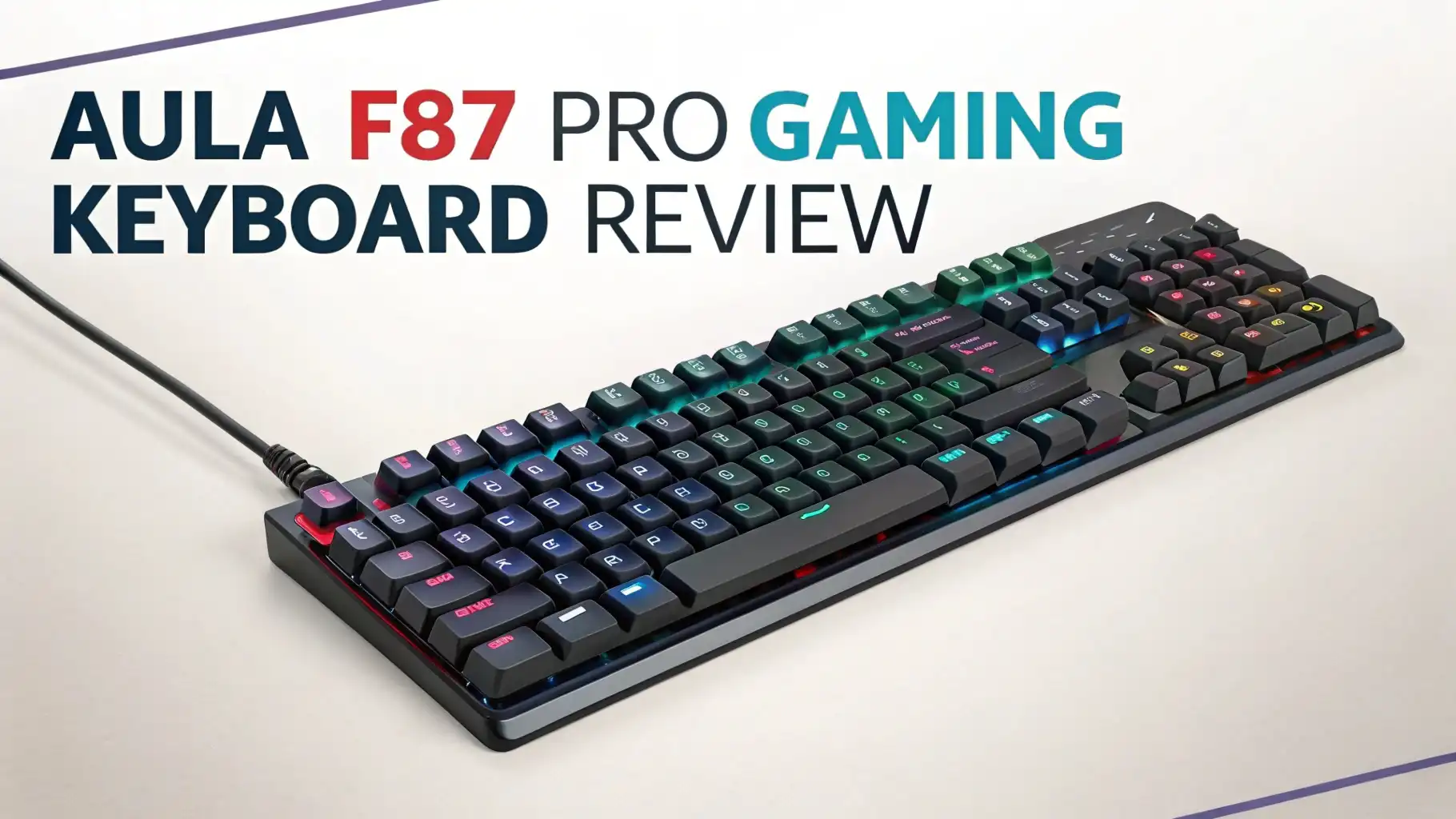
This keyboard uses a TKL layout with 87 keys. This means it removes the number pad but keeps all the function keys and navigation cluster. The design works great for gamers who need extra mouse space. It also appeals to office workers who want a compact keyboard for their desk.
The keyboard features a gasket mount structure. This means the plate sits on soft gaskets instead of being screwed directly to the case. When you press a key, the gasket absorbs some of the impact. This creates a softer, more premium typing feel. Most keyboards in this price range use tray mount designs that feel harsh and cheap.
Design and Build Quality That Feels Premium
The Aula F87 Pro impresses from the moment you take it out of the box. The keyboard uses ABS plastic for the chassis, but it does not feel cheap. The plastic has a smooth finish that resists fingerprints. The build quality shows no flex when you pick up the keyboard.
At 916 grams, the keyboard has a solid weight. This heft prevents the keyboard from sliding around your desk during intense gaming sessions. The weight comes from the internal layers and the large battery, not from cheap metal weights that some companies add.
The dual tone PBT keycaps create a beautiful visual design. My Smoke Blue variant combines white keycaps in the center with blue accent keys. The combination looks clean and modern. The keycaps use a Cherry profile that feels comfortable for both typing and gaming. The double shot construction means the legends will never fade.
Typing Experience: Smooth and Creamy
The typing experience on the Aula F87 Pro exceeds expectations for a budget keyboard. The LEOBOG Graywood V4 switches provide smooth linear action with no scratchy feeling. Each keystroke feels buttery and consistent across the entire board.
The factory lubrication makes a huge difference. Many budget keyboards ship with dry switches that sound scratchy. The pre lubed switches on the F87 Pro eliminate that problem. You get a premium sound right away without spending hours lubing switches yourself.
The gasket mount absorbs the impact of each keystroke. This creates a soft, cushioned feel that reduces finger fatigue during long typing sessions. Traditional tray mount keyboards transfer all the impact to your fingers. The difference becomes obvious after typing for more than an hour.
Sound dampening layers work together to create a deep, satisfying thock. The keyboard does not produce high pitched pings or hollow sounds. Each keystroke sounds premium and refined. The sound stays consistent whether you type lightly or bottom out the keys.
Gaming Performance and Features
The Aula F87 Pro delivers solid gaming performance despite its budget price. The keyboard supports 1000Hz polling rate when connected via USB or 2.4GHz wireless. This means the keyboard reports key presses to your computer 1000 times per second. The response feels instant with no noticeable input lag.
Anti ghosting and N key rollover ensure the keyboard registers every key press accurately. You can press as many keys as you want simultaneously without any missed inputs. This matters during complex game combos where you need to press multiple keys at once.
The 3ms response time keeps latency low. I tested the keyboard with fast paced FPS games and rhythm games. The keyboard kept up perfectly with no missed notes or delayed inputs. The performance matches wired gaming keyboards that cost much more.
Wireless gaming works great on this keyboard. The 2.4GHz connection provides the same low latency as a wired connection. I could not detect any difference between wired and wireless modes during gameplay. The wireless dongle stays tucked away in a USB port without interfering with other devices.
Top 3 Alternatives for Aula F87 Pro


Wireless Connectivity and Battery Life
The Aula F87 Pro offers three connection modes that work flawlessly. The USB-C wired connection provides the most reliable option for competitive gaming. Simply plug in the included cable and start playing with zero latency.
2.4GHz wireless delivers nearly identical performance to wired mode. The included dongle connects instantly when you plug it into your computer. The connection stays stable even when other wireless devices operate nearby. I experienced zero dropouts or connection issues during weeks of testing.
Bluetooth 5.0 lets you connect the keyboard to laptops, tablets, or phones. The keyboard can remember up to three Bluetooth devices. You can switch between them using a simple key combination. This feature works great if you use the keyboard with multiple computers.
The 4000mAh battery provides incredible battery life. Aula claims the battery lasts several weeks on a single charge with moderate use. I used the keyboard for two weeks with RGB lighting on without needing to recharge. If you turn off the RGB, the battery will last even longer.
Hot Swappable Switches for Easy Customization
Hot swap sockets make the Aula F87 Pro incredibly versatile. You can change switches in seconds without any tools or soldering. This feature usually only appears on expensive custom keyboards or DIY kits.
The keyboard comes with LEOBOG switches that feel great out of the box. But if you want to try different switches, you have complete freedom. Want to try tactile switches instead of linear? Pop out the old switches and pop in new ones. The whole process takes minutes.
Hot swap functionality lets you test different switches before committing to buying a full set. You can buy a few sample switches and test them in different positions. This helps you find your perfect switch without wasting money on switches you might not like.
The included switch puller makes removing switches easy. Simply squeeze the handles, grip a switch, and pull straight up. The switch pops out cleanly without damaging the socket. Installing new switches works just as easily. Line up the pins and press down until the switch clicks into place.
RGB Lighting That Looks Classy
The Aula F87 Pro implements RGB lighting thoughtfully instead of going overboard. The per key RGB backlighting shines through the side printed keycaps. The side printing means legends appear on the side of keycaps rather than the top. This creates a cleaner look while still showing which key is which.
Dual RGB side strips run along both edges of the keyboard. These strips can display different colors or effects than the main keyboard lighting. You can create unique two tone lighting schemes. The side lighting looks modern and adds visual interest without being distracting.
An RGB light bar sits above the arrow key cluster. This bar serves dual purposes. It displays colorful effects during normal use. It also functions as a battery indicator when you check battery status. This thoughtful design eliminates the need for a separate battery LED.
The keyboard offers 18 different lighting effects that you can cycle through using function key shortcuts. Effects include static colors, breathing, wave, and reactive modes. Each effect looks smooth with no flickering or stuttering. The transitions between colors happen gradually for a polished look.
Software and Programming Options
The Aula F87 Pro takes a different approach to software than most gaming keyboards. The keyboard works completely independently without requiring any software installation. All customization happens directly on the keyboard using function key combinations.
This approach has both advantages and disadvantages. On the positive side, the keyboard works perfectly on any computer without driver installation. You can plug it into a work computer, gaming PC, or Mac without any setup. The keyboard remembers your settings internally.
Function key shortcuts provide access to all settings. You can remap keys, adjust RGB, change connection modes, and control media playback. The included manual explains all the shortcuts clearly. After using the keyboard for a few days, the shortcuts become muscle memory.
The lack of software means you cannot create complex macros or program elaborate key remaps. If you need advanced programming features, this keyboard might disappoint you. However, most gamers and typists never use complex macros anyway. The built in options cover typical use cases.
PBT Keycaps with Side Printed Legends
The Aula F87 Pro ships with PBT keycaps that feel substantial and durable. PBT plastic resists shine and wear much better than ABS plastic. These keycaps will maintain their texture even after years of heavy use. The material also resists oils from your fingers better than cheaper options.
The keycaps use double shot construction. This means the legends are made from separate plastic molded into the keycap body. The legends will never fade or wear off no matter how much you type. This construction method costs more but provides permanent legends.
Cherry profile keycaps provide a comfortable typing experience. The profile means keycaps get progressively taller from bottom to top row. This sculpted shape matches the natural curve of your fingers. Many typists find Cherry profile more comfortable than uniform height keycaps.
The side printed legends create a clean, minimalist aesthetic. Instead of printing letters on top of keycaps, Aula prints them on the front side. This lets RGB shine through the top without any letters blocking the light. The design looks modern and sophisticated.
Sound Profile and Acoustics
The Aula F87 Pro achieves a deep, satisfying sound that rivals custom keyboards costing three times as much. The sound profile hits that perfect middle ground between too quiet and too loud. Your coworkers or family will hear typing but not find it annoying.
The five layer dampening system eliminates unwanted noise. There are no metallic pings, hollow sounds, or high pitched clinks. Each keystroke produces a clean thock without any aftershock ringing. The dampening works so well that you might need to adjust the sound in your brain after switching from a cheaper keyboard.
Factory lubed switches contribute significantly to the pleasant sound. Dry switches create scratchy sounds that ruin the acoustic experience. The pre applied lubricant eliminates scratchiness for smooth, consistent sounds across every key.
Pre lubed stabilizers prevent the annoying rattle that plagues most budget keyboards. The spacebar sounds just as good as any other key. The shift keys and enter key provide smooth, rattle free sounds. Getting stabilizers to sound this good usually requires hours of modding work.
Practical Use Cases and Versatility
The Aula F87 Pro excels in multiple scenarios beyond just gaming. The keyboard adapts well to different uses thanks to its versatile feature set and comfortable typing experience.
Office Work: The keyboard shines for office productivity. The TKL layout saves desk space while maintaining all essential keys. The wireless connectivity eliminates cable clutter on your desk. The professional appearance with RGB turned off makes it acceptable in corporate environments. The quiet typing sound will not disturb coworkers in open office spaces.
Programming: Developers will appreciate the comfortable typing experience during long coding sessions. The tactile feedback helps reduce typos in code. The compact layout keeps your mouse close for quick switching between keyboard and mouse. Function keys provide easy access for IDE shortcuts.
Content Creation: Writers and content creators benefit from the smooth typing experience. The keyboard reduces finger fatigue during marathon writing sessions. The wireless feature lets you move the keyboard around for different sitting positions. The battery life means you can write for weeks without interruption.
Gaming: The keyboard handles all types of gaming well. FPS players benefit from the compact size that provides extra mouse space. MOBA and MMO players appreciate the responsive switches for quick ability usage. The wireless mode lets you game from the couch on a big screen TV.
Value Proposition and Price Analysis
The Aula F87 Pro delivers exceptional value at its $75 price point. Let me break down what you get and how it compares to alternatives at different price levels.
At $75, you receive features normally found on keyboards costing $150 or more. The gasket mount, hot swap sockets, wireless connectivity, and premium switches check all the boxes enthusiasts look for. Budget keyboards at similar prices typically use cheap membrane switches or basic mechanical switches with no special features.
Compared to $50 keyboards, the F87 Pro costs $25 more but provides dramatically better quality. Cheaper keyboards use tray mount designs that feel harsh. They ship with scratchy unlubed switches. They lack wireless connectivity and hot swap functionality. The extra $25 buys you an experience that feels twice as expensive.
Compared to $150 keyboards from mainstream gaming brands, the F87 Pro matches or exceeds their features. Big brand keyboards at this price often use plastic cases, basic tray mounts, and mediocre stock switches. They charge premium prices for brand recognition rather than superior features. The F87 Pro focuses on delivering actual quality instead of marketing hype.
Potential Drawbacks and Limitations
The Aula F87 Pro impresses overall, but it does have some limitations worth mentioning. Understanding these drawbacks helps you make an informed purchase decision.
Side Printed Keycaps: The side printing looks clean but creates visibility issues in low light. The RGB lighting does not illuminate the legends since they sit on the keycap sides. Touch typists will not care, but hunt and peck typists might struggle in dim environments. You could replace the keycaps, but that adds extra cost.
Software Issues: The optional software proves difficult to find and unreliable when installed. Users report connection issues and bugs. Fortunately, the keyboard functions perfectly without software. However, users who want advanced macro programming will feel limited.
ABS Plastic Case: The case uses ABS plastic instead of aluminum. The plastic feels solid but lacks the premium heft and temperature of metal. This represents a reasonable tradeoff at the price point. The plastic keeps the weight manageable and the cost low.
FAQs
Does the Aula F87 Pro work on Mac computers?
Yes, the keyboard works perfectly with Mac computers. You can connect via Bluetooth, 2.4GHz wireless, or USB-C cable. The keyboard includes a switch underneath to toggle between Windows and Mac layouts. This remaps the modifier keys to match Mac conventions. All functions work normally on Mac except for some Windows specific RGB effects.
Can I use this keyboard while it charges?
Absolutely. The keyboard continues functioning normally while plugged in for charging. You never need to stop using it to charge the battery. The keyboard switches to wired mode automatically when you connect the cable. This provides the lowest latency for gaming while simultaneously charging the battery.
How long does the battery really last?
Battery life depends heavily on RGB usage. With RGB lighting on at medium brightness, expect around two weeks of regular use. Turn off RGB completely and the battery lasts four to six weeks. Heavy gamers who use the keyboard many hours daily should charge weekly. Light users might go a month between charges.
Are the switches actually pre lubed from the factory?
Yes, both the switches and stabilizers come pre lubed. The lubrication quality exceeds most factory lube jobs. The switches feel smooth with no scratchiness. The stabilizers produce no rattle on the spacebar or modifier keys. You could add more lube if desired, but most users find it unnecessary.
What switches should I choose?
The Graywood V4 switches provide smooth linear action with a deeper sound profile. These work great for both gaming and typing. The Nimbus V3 switches offer similar smoothness with a slightly different sound. Try watching sound test videos online to hear the difference. You cannot go wrong with either option. Remember that hot swap sockets let you change switches later anyway.
Can I replace the keycaps easily?
Yes, the keycaps use standard Cherry MX stems and standard sizes. Most aftermarket keycap sets will fit perfectly. Use the included keycap puller to remove caps without damage. Popular options include HyperX pudding caps for more RGB shine through or custom PBT sets for personalized looks.
Does this keyboard have n key rollover?
Yes, the keyboard supports full n key rollover and anti ghosting. You can press as many keys simultaneously as physically possible. The keyboard registers every key press accurately. This matters for complex gaming inputs and certain typing scenarios like holding multiple modifier keys.
Is the F87 Pro louder than membrane keyboards?
Yes, mechanical keyboards inherently produce more sound than membrane keyboards. However, the F87 Pro sounds quieter than most mechanical keyboards. The dampening layers and lubed switches reduce noise significantly. The sound stays pleasant rather than annoying. Your household members might hear typing from another room but probably will not complain.
Can I program macros on this keyboard?
The keyboard offers limited macro support through function key combinations. You cannot create complex multi key macros or record elaborate sequences. The keyboard focuses on simplicity and software independence. Power users who need advanced macro programming should consider keyboards with dedicated software.
What comes in the box?
You receive the keyboard, a USB-C to USB-A cable, a 2.4GHz wireless dongle, a keycap puller, a switch puller, four spare switches, a dust cover, and a user manual. The package includes everything you need to start using and customizing the keyboard immediately.