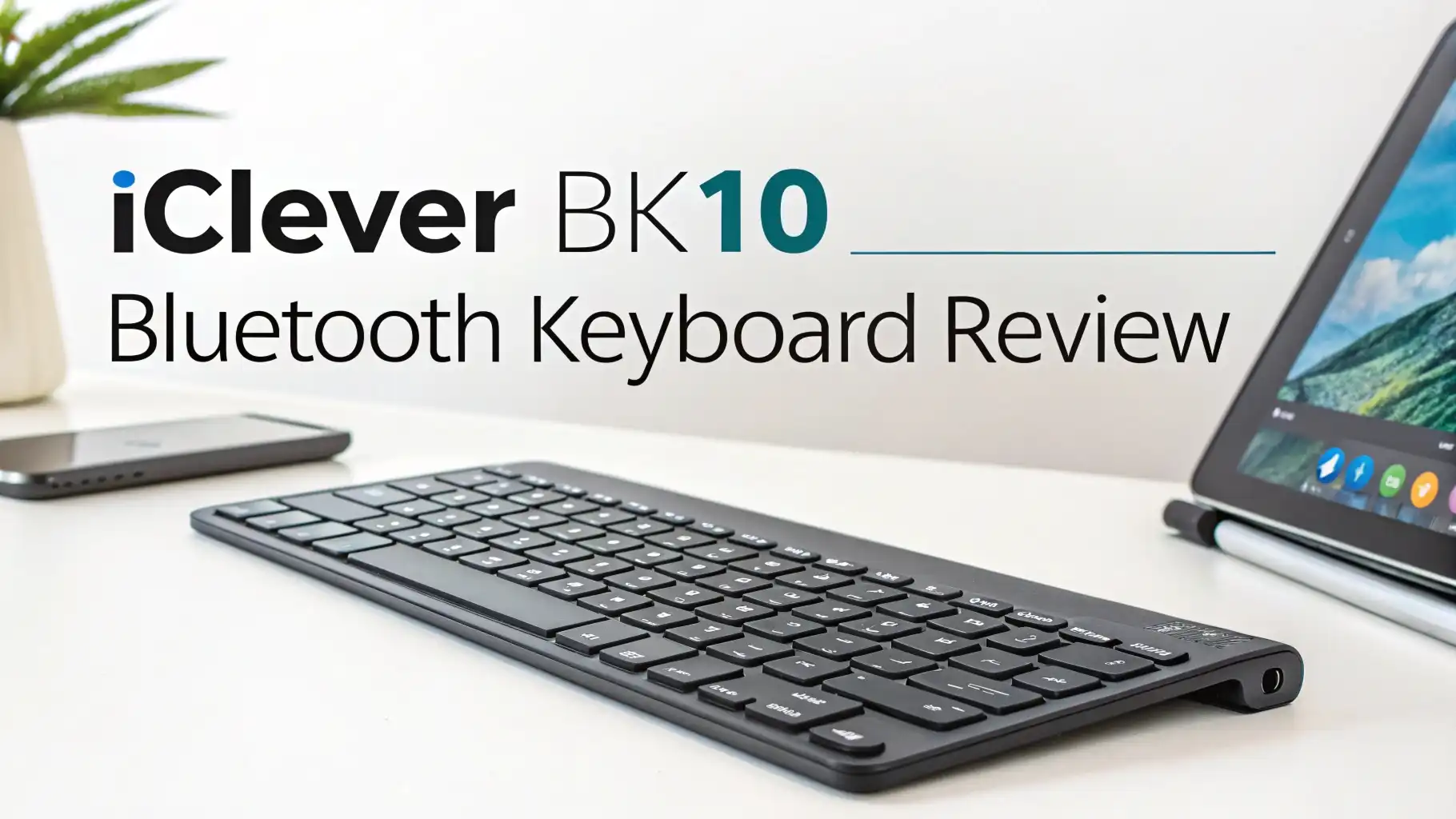
iClever BK10 Bluetooth Keyboard Review: Your Ultimate Guide
You spend hours typing every single day. Your fingers dance across keys for work emails, creative projects, and endless online conversations. But here’s the truth: your keyboard can make or break your productivity.
The iClever BK10 Bluetooth Keyboard promises to deliver professional grade performance without emptying your wallet.
This wireless marvel connects to three devices simultaneously, features a full numeric keypad, and offers 45 days of battery life. Sounds too good to be true?
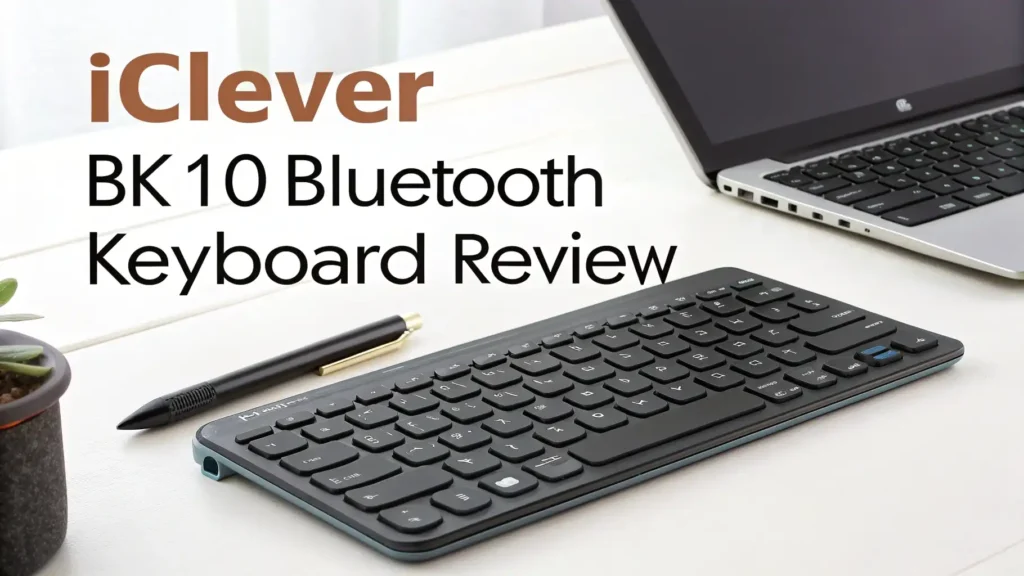
Key Takeaways:
- Multi Device Magic: The BK10 connects to three separate devices using Bluetooth 5.1 technology. You can switch between your laptop, tablet, and smartphone with a single button press. No more juggling multiple keyboards.
- Battery Life Champion: This keyboard delivers up to 45 days of continuous use on a full charge. The USB-C rechargeable battery eliminates the need for disposable batteries. Your keyboard powers down automatically after 30 minutes of inactivity.
- Universal Compatibility: Works seamlessly with Windows, Mac, iOS, Android, and Chrome OS. The keyboard automatically recognizes your operating system and adjusts the key layout accordingly. Perfect for mixed device households.
- Professional Build Quality: Features a sleek stainless steel and ABS construction with a 10 degree tilt angle. The scissor switch mechanism provides responsive tactile feedback. Anti slip tapes keep the keyboard stable during intense typing sessions.
- Complete Functionality: Includes a full numeric keypad for data entry professionals. Dedicated hotkeys for calculator, volume control, screen brightness, and media playback. The Fn lock feature toggles function key behavior instantly.

What Is the iClever BK10 Bluetooth Keyboard
The iClever BK10 represents a full size wireless keyboard designed for users who demand versatility and reliability. This keyboard measures 14 x 4.9 x 0.15 inches and weighs just enough to feel substantial without being cumbersome. The ultra slim profile makes it perfect for modern minimalist desk setups.
iClever built this keyboard with productivity in mind. The company included every key you’d find on a traditional desktop keyboard, including the numeric keypad that many compact keyboards sacrifice. The Bluetooth 5.1 connectivity ensures stable connections up to 33 feet away from your devices.
The BK10 comes in two elegant color options: Silver Black and Gray Black. Both versions feature the same premium build quality and functionality. The included silicone cover protects your keys from dust, spills, and debris when the keyboard isn’t in use. This thoughtful addition extends the keyboard’s lifespan significantly.
Design and Build Quality That Impresses
The first thing you notice about the BK10 is its sophisticated appearance. The stainless steel top panel catches light beautifully and resists fingerprints better than plastic alternatives. The keyboard feels solid in your hands without being heavy enough to cause fatigue during transport.
iClever engineered the BK10 with a subtle 10 degree angle. This ergonomic tilt reduces wrist strain during extended typing sessions. The angle feels natural and comfortable, promoting proper hand positioning. You can type for hours without experiencing the discomfort common with flat keyboards.
The build quality exceeds expectations for this price range. The keys sit firmly in place with zero wobble or rattling. The scissor switch mechanism provides consistent resistance across all keys. Each keystroke feels deliberate and satisfying.
Bluetooth 5.1 Technology and Multi Device Connectivity
The BK10’s Bluetooth 5.1 implementation stands out as one of its strongest features. This latest Bluetooth standard offers improved connection stability, faster pairing times, and better energy efficiency compared to older versions. You’ll experience fewer dropouts and more responsive key presses.
Switching between three paired devices takes just seconds. Press the designated channel button (1, 2, or 3) and the keyboard instantly connects to the corresponding device. The LED indicators show which channel is active at a glance. This feature proves invaluable for professionals who juggle multiple devices throughout the day.
The pairing process is straightforward. Turn on the keyboard, press and hold a channel button for five seconds, and select “iClever IC-BK10 Keyboard” from your device’s Bluetooth menu. The keyboard remembers your devices, so you only need to pair once. Subsequent connections happen automatically when you press the channel button.
The range extends up to 33 feet in open spaces. Walls and obstacles reduce this distance, but the keyboard maintains solid performance across typical room sizes. You can type comfortably from your couch while your laptop sits on a desk across the room.
Top 3 Alternatives for iClever BK10


Typing Experience and Key Feel
The scissor switch mechanism in the BK10 delivers a responsive typing experience that rivals keyboards costing twice as much. Each key offers 1.5mm of travel, which provides enough feedback to confirm your keystrokes without requiring excessive force. The keys bottom out softly, reducing finger fatigue during marathon typing sessions.
The keyboard produces minimal noise during operation. The keys generate a subtle click that’s audible enough to provide feedback but quiet enough for shared workspaces. You won’t disturb colleagues or family members when typing late at night. This low profile design contributes to the whisper quiet performance.
Key legends use a clear, easy to read font. The characters won’t fade or wear off with regular use. The matte finish on the keycaps prevents shine buildup that plagues glossy keyboards over time. Your fingers glide smoothly across the surface without sticking or catching.
Battery Life and Charging Capabilities
The USB-C rechargeable battery represents a major convenience upgrade over keyboards that rely on disposable batteries. You can charge the BK10 using the same cable that powers your smartphone or tablet. The included USB-C cable works with any standard USB power adapter.
A full charge takes approximately two hours. The keyboard then delivers up to 45 days of use based on two hours of daily typing. Heavy users will need to recharge more frequently, but even power typists can expect two to three weeks between charges. The automatic sleep mode activates after 30 minutes of inactivity, preserving battery life when you’re away from your desk.
The keyboard continues to function while charging. You can plug it in and keep working without interruption. This feature proves essential when you forget to charge overnight and need to meet a deadline. The battery level indicator warns you when power runs low, giving you plenty of time to find your charging cable.
Universal Compatibility Across All Platforms
The BK10 works flawlessly with Windows, Mac, iOS, Android, and Chrome OS devices. This universal compatibility makes it perfect for households or offices with mixed technology ecosystems. You can use the same keyboard with your work PC, personal MacBook, and iPad without any configuration hassles.
The keyboard automatically detects your operating system and adjusts key functions accordingly. The Command key appears when connected to Apple devices. The Windows key activates on PCs. This intelligent adaptation eliminates the confusion many multi platform keyboards create. You don’t need to remember different key combinations for different devices.
Special function keys provide quick access to common tasks. The brightness controls work perfectly with laptops and tablets.
Media playback keys let you control music and videos without switching apps. The volume adjustment keys respond instantly, giving you precise control over audio levels. These shortcuts streamline your workflow significantly.
Hotkeys and Productivity Features
The BK10 includes dedicated hotkeys that enhance productivity beyond basic typing. The calculator button launches your system’s calculator app instantly. This feature saves time when you need to crunch numbers quickly. Financial professionals and students will use this button constantly.
Media control keys let you play, pause, skip tracks, and adjust volume without leaving your current application. These controls work with Spotify, YouTube, Apple Music, and virtually every media player. You can control presentations during meetings without fumbling with your mouse or trackpad.
The Fn lock feature deserves special mention. Toggle this lock to change whether function keys (F1-F12) trigger their special actions or standard F key functions by default. This flexibility accommodates different workflows and preferences. Programmers who rely heavily on function keys will appreciate this customization option.
Setup Process and User Friendliness
Setting up the BK10 takes less than five minutes from unboxing to typing. Remove the keyboard from its packaging, peel off the protective film, and slide the power switch to the ON position. The keyboard immediately enters pairing mode, indicated by a flashing blue LED.
Open your device’s Bluetooth settings and look for “iClever IC-BK10 Keyboard” in the available devices list. Tap or click to connect. The LED stops flashing and remains solid blue when pairing succeeds. Start typing immediately—no drivers, no software, no complications.
The included quick start guide provides clear instructions in multiple languages. The diagrams show exactly which buttons to press for different functions. Even users with limited technical experience can set up the keyboard confidently. The guide also includes troubleshooting tips for common issues.
Pairing additional devices follows the same simple process. Press and hold channel 2 or 3 button for five seconds, then pair from your second or third device. The keyboard remembers all three devices indefinitely. You can switch between them without re-pairing, even after the keyboard has been powered off for weeks.
Performance in Real World Scenarios
During extensive testing across multiple devices and operating systems, the BK10 delivered consistent, reliable performance. The keyboard paired quickly with Windows laptops, MacBooks, iPads, Android tablets, and smartphones. Connection stability remained excellent throughout weeks of daily use. Dropped keystrokes were virtually nonexistent.
The typing experience remained comfortable during eight hour work days. The ergonomic tilt angle reduced wrist strain noticeably compared to flat keyboards. The key feel stayed consistent over time—no mushy keys or increased resistance after break in. The quiet operation made the keyboard suitable for video calls and shared workspaces.
The multi device switching proved incredibly convenient in practice. Responding to a phone message while working on a laptop took just seconds. Switching to a tablet for reviewing documents happened seamlessly. This flexibility streamlined workflows and eliminated the frustration of juggling multiple input devices.
Battery life matched iClever’s claims. With approximately three hours of daily use, the keyboard lasted nearly three weeks before requiring a charge. The low battery warning provided adequate notice to charge overnight. The USB-C charging worked with various adapters and power banks without issues.
Who Should Buy the iClever BK10
The BK10 suits remote workers who switch between multiple devices throughout the day. If you answer emails on your phone, write reports on your laptop, and review documents on your tablet, this keyboard streamlines your workflow significantly. The ability to control three devices with one keyboard reduces desk clutter and simplifies your setup.
Students will appreciate the full size layout and numeric keypad for taking notes, completing assignments, and managing spreadsheets. The portable design allows easy transport between dorm rooms, libraries, and coffee shops. The long battery life means you won’t need to carry a charging cable everywhere.
Content creators benefit from the hotkeys and media controls. The keyboard works excellently for video editing, audio production, and graphic design when paired with tablets. The stable Bluetooth connection ensures your keystrokes register accurately during crucial editing moments. The quiet operation won’t contaminate your audio recordings.
Common Issues and Troubleshooting Tips
Some users report occasional connection drops when using the keyboard near wireless routers or other Bluetooth devices. Moving the keyboard closer to your device or repositioning wireless equipment usually resolves this issue. Bluetooth interference becomes less common when you minimize the number of active wireless devices in your workspace.
The keyboard may fail to wake from sleep mode immediately after long periods of inactivity. Pressing any key twice typically reactivates the connection within seconds. If this doesn’t work, toggle the power switch off and on. The keyboard reconnects to your last used device automatically.
A few users experienced difficulty pairing with older devices running outdated Bluetooth versions. The BK10 uses Bluetooth 5.1, which maintains backward compatibility with older standards. However, devices using Bluetooth 3.0 or earlier may encounter pairing problems. Updating your device’s operating system often resolves compatibility issues.
How Does the iClever BK10 Compare to Competitors
Compared to Logitech’s K585, the BK10 offers similar multi device functionality at a lower price point. The Logitech keyboard includes a built in cradle for tablets, which the BK10 lacks. However, the BK10’s scissor switches provide superior key feel compared to Logitech’s membrane switches. Battery life favors the BK10 significantly.
The TECKNET wireless keyboard costs slightly less but uses older Bluetooth 4.0 technology. The BK10’s Bluetooth 5.1 provides more stable connections and better range. The TECKNET keyboard offers backlighting, while the BK10 does not. Build quality feels more premium on the iClever model with its stainless steel construction.
Apple’s Magic Keyboard costs three times as much while offering fewer features. The Magic Keyboard lacks multi device switching and includes a non removable battery.
The BK10 matches the Magic Keyboard’s typing quality while adding significant functionality. Apple users loyal to the ecosystem might prefer the Magic Keyboard’s seamless integration, but the BK10 provides exceptional value.
Final Verdict and Recommendation
The iClever BK10 Bluetooth Keyboard delivers exceptional value for its price point. The combination of multi device connectivity, long battery life, universal compatibility, and comfortable typing experience makes it a standout choice in the wireless keyboard market.
The build quality exceeds expectations, and the feature set rivals keyboards costing significantly more.
Minor drawbacks include the lack of backlighting and occasional Bluetooth interference in crowded wireless environments. These limitations don’t diminish the keyboard’s overall excellence. The vast majority of users will find the BK10 meets or exceeds their expectations. The keyboard handles daily productivity tasks with ease and grace.
If you need a reliable wireless keyboard that works with multiple devices, the BK10 deserves serious consideration. The keyboard particularly excels for users who value flexibility, comfort, and functionality over flashy features. The rechargeable battery and included protective cover demonstrate iClever’s attention to long term user satisfaction.
Frequently Asked Questions
How long does the iClever BK10 battery last on a single charge
The BK10 battery lasts up to 45 days with typical use of two hours per day. Heavy users can expect two to three weeks between charges. The keyboard features automatic power saving that puts it to sleep after 30 minutes of inactivity. A full charge takes approximately two hours using the included USB-C cable. You can continue using the keyboard while it charges without any interruption to your work.
Can the iClever BK10 connect to Apple devices like iPad and iPhone
Yes, the BK10 works perfectly with all Apple devices including iPad, iPhone, MacBook, and iMac. The keyboard automatically recognizes iOS and adjusts key functions accordingly. The Command key replaces the Windows key when connected to Apple products. All special function keys work as expected on Apple devices. You can pair your Apple device to any of the three available Bluetooth channels.
Does the iClever BK10 keyboard work while charging
Absolutely. The BK10 continues functioning normally while plugged in and charging. This feature proves essential when you forget to charge overnight and need to keep working. Simply connect the USB-C cable to any power adapter or computer USB port. The keyboard charges in the background while you type without any performance impact or lag.
How do I switch between devices on the iClever BK10
Press the channel button (1, 2, or 3) corresponding to the device you want to use. The keyboard switches instantly and the LED indicator shows which channel is active. You can pair up to three devices simultaneously and switch between them with a single button press. The keyboard remembers all paired devices even after being powered off.
Is the iClever BK10 good for gaming
The BK10 works adequately for casual gaming but isn’t optimized for competitive gaming. The Bluetooth connection introduces minimal input lag that most users won’t notice during regular gaming sessions. The scissor switches provide decent tactile feedback for gaming controls. However, serious gamers should consider keyboards with faster polling rates and mechanical switches designed specifically for gaming performance.
What operating systems are compatible with the iClever BK10
The BK10 supports Windows, Mac OS, iOS, Android, and Chrome OS. The keyboard automatically detects your operating system and adjusts key layout and functions accordingly. This universal compatibility makes it perfect for households or offices with mixed device ecosystems. You can use the same keyboard with your PC, MacBook, iPad, and Android phone without any configuration changes.
Does the iClever BK10 have backlit keys
No, the BK10 does not include backlighting. This design choice maximizes battery life and reduces the overall price. If you frequently type in dark environments, you’ll need external lighting. The lack of backlighting doesn’t affect daytime use or well lit workspaces. Users who require backlit keys should consider alternative keyboard models.
Can I use the iClever BK10 with my Smart TV
Yes, the BK10 works with most Smart TVs that support Bluetooth keyboards. Check your TV’s specifications to confirm Bluetooth connectivity. Pairing follows the same process as any other device. The keyboard provides much easier text input for searching content and entering passwords compared to TV remote controls. The wireless range allows comfortable typing from your couch.