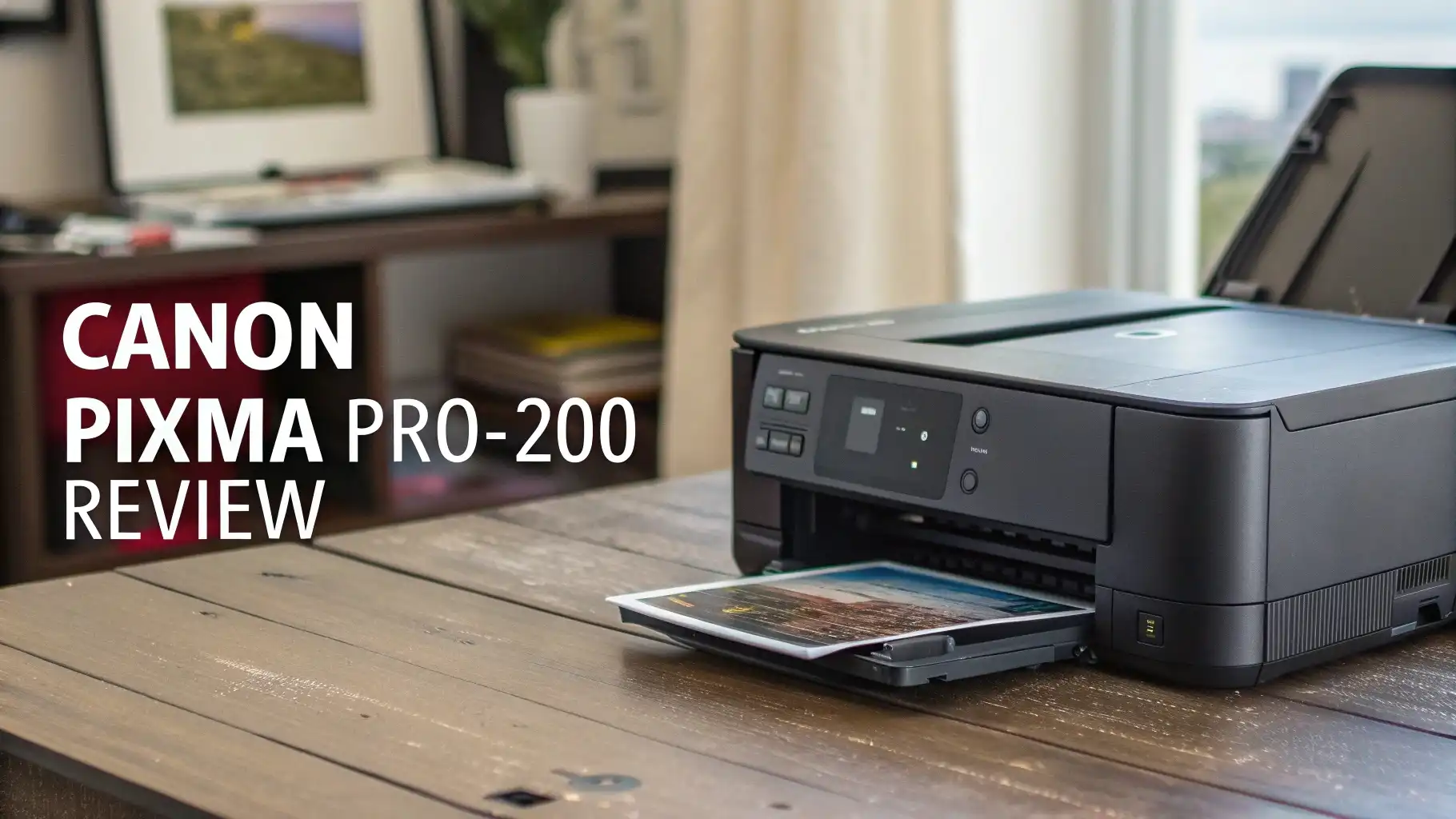
Canon PIXMA PRO-200 Review: Stunning Print Quality in 2026
Looking for a professional photo printer that delivers exceptional print quality without breaking the bank?
The Canon PIXMA PRO-200 has become a favorite choice among photographers, artists, and creative professionals who demand stunning color accuracy and sharp details.
This printer brings professional level printing to your home studio with its advanced 8-color dye-based ink system and wide-format capabilities.
Key Takeaways
- Outstanding Print Quality: The 8-color dye-based ink system delivers stunning color reproduction with a maximum resolution of 4800 x 2400 dpi. Your photos will show incredible detail and smooth gradients that make images truly come alive.
- Wide Format Printing: Print borderless photos up to 13 x 19 inches, giving you the flexibility to create everything from standard prints to large format wall art without any restrictions.
- Cost Effective Operation: Individual ink tanks mean you only replace the color that runs out, and the relatively low cost per print makes this an economical choice for regular printing needs.
- Wireless Connectivity Options: Connect via WiFi, Ethernet, or USB to print from virtually any device. The Canon PRINT app lets you print directly from your smartphone or tablet with just a few taps.
- Compact Design: Despite its professional capabilities, the PRO-200 has a space-saving footprint that fits comfortably on most desks or workstations without dominating your workspace.

Canon PIXMA PRO-200 Overview
The Canon PIXMA PRO-200 represents a significant upgrade from the previous PRO-100 model. This professional grade photo printer targets serious photography enthusiasts and working professionals who need reliable, high quality output. The printer arrived on the market in October 2020 and quickly earned praise for its exceptional performance.
Canon designed this printer specifically for photo printing excellence. The 8-color ChromaLife100+ ink system includes black, cyan, magenta, yellow, photo cyan, photo magenta, gray, and light gray inks. This comprehensive color palette allows the printer to reproduce subtle tones and smooth gradients that make your photos look absolutely stunning. The dye-based inks create vibrant, glossy prints with deep blacks and brilliant highlights.
The PRO-200 handles paper sizes from 4 x 6 inches up to 13 x 19 inches. You can load up to 150 sheets of plain paper or 100 sheets of photo paper in the rear tray. The auto sheet feeder reduces manual intervention and speeds up your workflow. The manual feed slot accommodates specialty papers and thicker media for fine art printing projects. This versatile paper handling system gives you the flexibility to experiment with different paper stocks and finishes.
Print Quality and Color Accuracy
Print quality stands as the most important factor when choosing a photo printer. The Canon PIXMA PRO-200 excels in this critical area. The printer produces sharp, detailed images with accurate color reproduction that matches what you see on a properly calibrated monitor. The 4800 x 2400 dpi maximum resolution ensures every detail in your photos comes through clearly.
The 8-color ink system creates smooth color transitions without visible banding. You’ll notice this especially in areas with gradual color changes like skies, skin tones, and shadows. The addition of photo cyan and photo magenta inks expands the color gamut significantly compared to 6-color systems. This means the printer can reproduce a wider range of colors more accurately.
Black and white prints look equally impressive. The dedicated gray and light gray inks eliminate the color casts that plague many photo printers when printing monochrome images. Your black and white photos will have neutral tones with excellent shadow detail and smooth gradations from black to white. Professional photographers particularly appreciate this capability for fine art black and white printing.
The printer maintains consistent quality across different paper types. Whether you’re using glossy, semi-gloss, or matte papers, the PRO-200 adjusts automatically to deliver optimal results. The ICC profile support ensures color accuracy when working with professional papers from Canon and third-party manufacturers.
Design and Build Quality
Canon built the PIXMA PRO-200 with a focus on practicality and durability. The printer measures 24.3 inches wide, 15 inches deep, and 8.5 inches tall. This compact footprint makes it one of the more space efficient 13-inch photo printers available. The sleek black design looks professional and fits well in any home office or studio environment.
The build quality feels solid and well-constructed. The printer weighs approximately 33 pounds, giving it a stable base that reduces vibration during printing. The paper feed mechanism operates smoothly and reliably. Users report minimal paper jams even when printing on thicker fine art papers. The removable ink tank holder makes replacing cartridges quick and easy.
The control panel features a 3-inch color LCD screen that displays printer status, ink levels, and menu options. The intuitive interface makes navigating settings straightforward even for first-time users. Physical buttons provide quick access to common functions. The display tilts up slightly for better viewing angles when the printer sits on a desk.
Air vents on the sides and back prevent overheating during extended print sessions. The printer operates relatively quietly considering its capabilities. You’ll hear some mechanical noise during printing, but it’s not distractingly loud. The power-efficient design reduces energy consumption when the printer sits idle.
Speed and Performance
Print speed varies depending on the size and quality settings you choose. The Canon PIXMA PRO-200 prints a 4 x 6 inch photo in approximately 90 seconds at standard quality. An 8 x 10 inch photo takes about 3 minutes, while a full 13 x 19 inch print requires approximately 8 minutes. These speeds represent a significant improvement over the PRO-100 model.
For document printing, the PRO-200 isn’t the fastest option. It takes about 2 minutes to print a single page color document. However, document printing isn’t this printer’s primary purpose. The focus remains squarely on producing exceptional photo prints. The slower speed ensures the printer applies ink precisely for maximum quality.
The printer handles continuous printing well without significant slowdowns. You can queue multiple prints and let the printer work through them automatically. The large ink tanks support extended print runs without frequent cartridge changes. This makes the PRO-200 suitable for small commercial applications or photographers who need to print client orders at home.
Warm-up time from standby mode takes about 10 seconds. The printer connects quickly over WiFi and responds promptly to print commands. Overall performance feels snappy and reliable for a photo-focused printer in this price range.
Top 3 Alternatives for Canon PIXMA PRO-200


Ink System and Running Costs
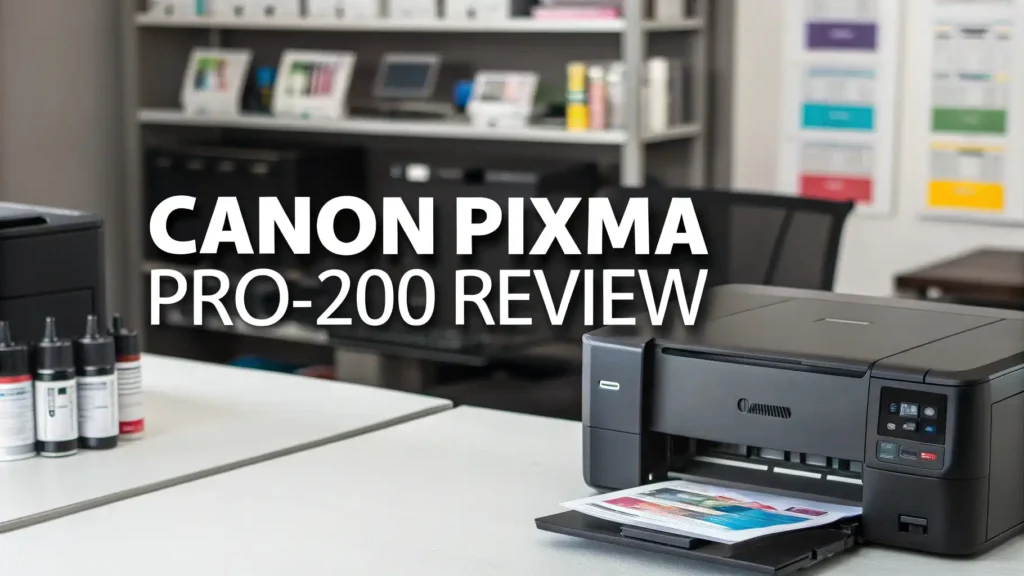
The 8-color ChromaLife100+ ink system uses individual cartridges for each color. This design proves more economical than tri-color cartridges since you only replace the ink that runs out. The CLI-65 ink cartridges come in standard capacity, providing a reasonable page yield for home and small office use.
Based on actual usage, you can expect to print approximately 300 to 400 4 x 6 inch photos before needing to replace the most-used color cartridges. The cost per 4 x 6 inch print averages around 25 to 30 cents when using genuine Canon inks and paper. This makes the PRO-200 more economical than many competing photo printers in its class.
The printer includes a full set of starter inks in the box. These cartridges contain less ink than standard retail cartridges but provide enough ink to start printing immediately. You should plan to purchase replacement cartridges soon after setting up your new printer.
Third-party compatible inks are available at lower prices, but Canon warns that using non-genuine inks may affect print quality and void your warranty. Many users report good results with genuine Canon inks, and the cost remains reasonable considering the exceptional print quality you receive.
Canon CLI-65 Ink Cartridges

The Canon CLI-65 eight-color pack provides all the inks your PRO-200 needs in one convenient package. Buying the complete set typically costs less than purchasing individual cartridges separately. The genuine Canon inks ensure optimal color accuracy and print longevity. Each cartridge installs easily into its designated slot with a satisfying click.
The printer’s LCD display shows current ink levels at a glance. You’ll receive low ink warnings well before a cartridge runs completely empty. This gives you time to order replacements without interrupting your workflow. The printer stores individual color profiles for each ink, ensuring consistent results even when you replace cartridges mid-project.
Canon rates these inks for excellent fade resistance when combined with Canon photo papers. Your prints should maintain their vibrant colors for decades when properly stored. The ChromaLife100+ system delivers one of the longest print longevity ratings in the consumer photo printer market.
Connectivity and Software Features
Modern connectivity options make the Canon PIXMA PRO-200 easy to integrate into your workflow. The printer supports WiFi, Ethernet, and USB connections. WiFi setup takes just a few minutes using the Canon PRINT app on your smartphone. The app guides you through each step with clear instructions.
Once connected, you can print from Windows PCs, Macs, iOS devices, and Android devices. The Canon PRINT app offers basic editing tools and lets you print photos directly from your phone’s photo library. Cloud printing support includes Google Cloud Print and Apple AirPrint for seamless wireless printing from any compatible device.
The included software suite provides more advanced features for desktop users. Canon’s Professional Print and Layout application offers precise control over color management, paper selection, and print settings. This software integrates with Adobe Photoshop and Lightroom, allowing you to print directly from these popular photo editing programs.
The printer supports automatic firmware updates over your network connection. These updates improve performance and occasionally add new features. The printer can also automatically order replacement ink through Amazon Dash Replenishment when enabled.
Paper Handling Capabilities
The Canon PIXMA PRO-200 accommodates a wide variety of paper types and sizes. The rear tray holds standard cut sheets while the manual feed slot accepts thicker specialty media. This dual loading system lets you keep photo paper loaded in the rear tray and manually feed fine art papers as needed.
The printer automatically detects paper width and adjusts accordingly. This intelligent paper detection reduces user error and ensures optimal print quality. The printer supports borderless printing on all common photo sizes from 4 x 6 inches up to 13 x 19 inches. Borderless printing extends the image right to the edge of the paper for a professional finished look.
Compatible paper weights range from 64 to 300 grams per square meter. This covers everything from standard office paper to thick fine art papers. The printer handles glossy, semi-gloss, luster, matte, and textured papers with equal ease. Canon’s own photo papers work exceptionally well with the PRO-200, but third-party papers also produce excellent results.
The straight paper path from the rear feeder reduces the risk of jams with thicker media. Fine art papers and canvas materials feed smoothly without bending or creasing. This makes the PRO-200 an excellent choice for photographers and artists who want to experiment with different paper stocks.
Canon Photo Paper Options

Canon offers several premium photo papers specifically optimized for the PRO-200. The Photo Paper Plus Semi-Gloss provides an excellent balance between glossy and matte finishes. This paper produces rich colors and deep blacks while minimizing glare and fingerprints. The semi-gloss surface gives photos a professional look that works well for portfolios and client presentations.
The paper thickness feels substantial without being too heavy. It handles well and resists curling even in humid environments. The 50-sheet pack provides enough paper for a decent number of prints at a reasonable price per sheet. Many professional photographers consider this their go-to paper for everyday printing needs.
Canon’s semi-gloss paper works beautifully with the PRO-200’s ink system. The coating absorbs ink optimally for sharp details and vibrant colors. Prints dry quickly and resist smudging. The paper’s archival qualities ensure your prints will last for years without fading when displayed properly.
Best Photo Papers for PRO-200

Canon’s Luster Photo Paper LU-101 offers another excellent option for PRO-200 users. The luster finish sits between glossy and matte, providing exceptional detail with reduced glare. This paper choice works particularly well for portraits and fine art photography where you want rich colors without the high shine of glossy paper.
The 13 x 19 inch size allows you to create impressive large format prints. The heavier paper weight gives prints a premium feel that clients appreciate. The luster surface texture adds a subtle dimension to images that enhances perceived sharpness and depth.
This paper ships in a 50-sheet pack, providing excellent value for photographers who print regularly. The consistent quality from sheet to sheet ensures reliable results every time. The paper works well with Canon’s color profiles, requiring minimal adjustment to achieve accurate color reproduction.
User Experience and Ease of Use
Setting up the Canon PIXMA PRO-200 takes approximately 20 to 30 minutes. The quick start guide walks you through unpacking, installing ink cartridges, loading paper, and connecting to your network. The process is straightforward and well-documented. Even users with limited technical experience should be able to get the printer running without difficulty.
Daily operation remains equally user-friendly. Loading paper is simple thanks to clear guides in the paper tray. Replacing ink cartridges requires no tools and takes just seconds. The LCD display provides helpful information about printer status and alerts you to any issues.
The printer driver software integrates well with both Windows and macOS. Print dialog boxes present options clearly without overwhelming users with unnecessary technical details. Advanced users can access detailed settings for fine-tuning output, while casual users can stick with the automatic settings that work well for most situations.
Maintenance tasks like print head cleaning can be initiated from the printer’s control panel or through the software interface. The printer performs automatic maintenance routines to keep print heads clear and ensure consistent quality. Users report minimal maintenance needs under normal usage conditions.
Professional Features and Color Management
Serious photographers will appreciate the PRO-200’s professional-grade color management capabilities. The printer supports ICC profiles for accurate color matching between screen and print. Canon provides profiles for their own papers, and many third-party paper manufacturers offer profiles specifically designed for this printer.
The printer’s 16-bit processing ensures smooth color gradations without banding or posterization. This advanced image processing technology makes a noticeable difference in image quality, especially in areas with subtle color transitions. The results rival much more expensive professional printers.
Adobe RGB color space support allows the printer to reproduce the wide color gamut that professional photographers capture with their cameras. This means your prints can show colors that standard sRGB printers simply cannot reproduce. The extended color range proves particularly important for landscape and nature photography where saturated colors play a crucial role.
The printer’s color consistency remains stable over time. Once you establish a color-managed workflow, you can expect repeatable results print after print. This reliability is essential for professional photographers who need to match prints across multiple printing sessions.
Pros and Cons of the Canon PIXMA PRO-200
The Canon PIXMA PRO-200 delivers numerous advantages for photo printing enthusiasts. The exceptional print quality stands out as the primary strength. Colors look vibrant and accurate, details appear sharp, and black and white prints show neutral tones without color casts. The 8-color ink system produces a wider color gamut than 6-color printers in the same price range.
The relatively low cost per print makes regular printing more affordable. Individual ink tanks mean you only replace colors as they run out rather than wasting partially used cartridges. The printer’s reliability and build quality inspire confidence for long-term use. Connectivity options provide flexibility for various workflow preferences.
Some limitations exist that buyers should consider. The printer lacks a built-in scanner, so you’ll need a separate device for scanning documents or photos. Document printing speed is slow compared to office printers, but this rarely matters since photo printing remains the primary use case. The printer doesn’t support automatic duplex printing, requiring manual paper flipping for two-sided prints.
The starter ink cartridges contain less ink than standard cartridges. You’ll need to budget for replacement inks fairly quickly after purchase. The printer is also somewhat large and heavy, requiring adequate desk space and making relocation inconvenient.
Who Should Buy the Canon PIXMA PRO-200
The Canon PIXMA PRO-200 targets several specific user groups. Photography enthusiasts who regularly print their work at home will find this printer an excellent investment. The combination of quality, versatility, and value makes it ideal for hobbyists who want professional results without commercial equipment costs.
Professional photographers running small studios can use the PRO-200 for client proofing and moderate print production. While not fast enough for high-volume commercial work, it handles typical studio needs admirably. Wedding photographers, portrait photographers, and artists can produce client prints on demand without outsourcing.
Graphic designers and illustrators who need accurate color proofs will appreciate the color management capabilities. The wide format support accommodates design layouts up to 13 x 19 inches. Teachers and students in photography or design programs benefit from having professional quality printing tools available for projects and portfolios.
The printer also suits families who value high quality photo printing for preserving memories. While more expensive than consumer photo printers, the superior quality justifies the investment for users who want their photos to look their absolute best. The low running costs offset the higher initial purchase price over time.
How Does Canon PIXMA PRO-200 Compare to Competitors
The Canon PIXMA PRO-200 competes primarily with Epson’s SureColor P700 in the enthusiast photo printer market. Both printers target serious photographers and offer wide format printing up to 13 inches. The PRO-200 uses dye-based inks while the P700 uses pigment-based inks. This represents the most significant difference between the two models.
Dye-based inks produce glossier, more vibrant prints with a wider color gamut on photo papers. Pigment inks offer better longevity and work better on matte fine art papers. Your preferred printing style should guide your choice. Portrait and commercial photographers often prefer dye inks, while fine art photographers may favor pigment inks.
The PRO-200 typically costs less than the P700, making it more accessible for budget-conscious buyers. The Canon also operates more quietly during printing. The Epson offers slightly higher resolution and more individual ink cartridges for potentially lower running costs. Both printers deliver excellent quality, so the choice often comes down to personal preference and specific workflow needs.
Compared to consumer-level photo printers, the PRO-200 produces noticeably better quality. The investment pays off for users who print regularly or who need the best possible quality for their work. The wider format capability alone justifies the upgrade for many photographers.
FAQs
What is the print resolution of the PRO-200?
The Canon PIXMA PRO-200 prints at a maximum resolution of 4800 x 2400 dpi for both color and black and white prints. This high resolution ensures exceptional detail and sharpness in your photos. The combination of high resolution and 8-color ink system produces prints that rival professional lab output.
Is the Canon PIXMA PRO-200 worth it?
The Canon PIXMA PRO-200 represents excellent value for photographers and creative professionals who need high quality photo printing. The combination of outstanding print quality, wide format capabilities, and reasonable running costs justifies the investment for regular users. The printer delivers professional-grade results at a prosumer price point.
Can the Canon PIXMA PRO-200 print double-sided?
The Canon PIXMA PRO-200 supports manual duplex printing but lacks automatic duplexing capability. When you select duplex printing in the driver settings, the printer prints one side first. You then manually flip the paper and reload it to print the second side. The software provides clear instructions for proper paper orientation.
How long do prints last from the Canon PIXMA PRO-200?
Canon rates ChromaLife100+ prints for up to 300 years when stored in albums and up to 100 years when displayed under glass. These impressive longevity ratings assume you use genuine Canon inks and papers. The dye-based inks incorporate advanced fade-resistant technology that protects your prints for generations.
What size paper does the Canon PIXMA PRO-200 accept?
The Canon PIXMA PRO-200 accepts paper sizes from 4 x 6 inches up to 13 x 19 inches. This covers all standard photo sizes plus wide format printing for impressive large prints. The printer handles letter size (8.5 x 11 inches), legal size, A4, A3+, and custom sizes within the supported range.