Optimus 3.0 GPS Tracker Review: Your Complete Guide
Finding the right GPS tracker can feel overwhelming with so many options available. You want something reliable, affordable, and easy to use.
The Optimus 3.0 GPS Tracker has become one of the most popular choices on Amazon for good reason.
This device offers real time tracking, long battery life, and powerful magnetic mounting that makes installation simple.
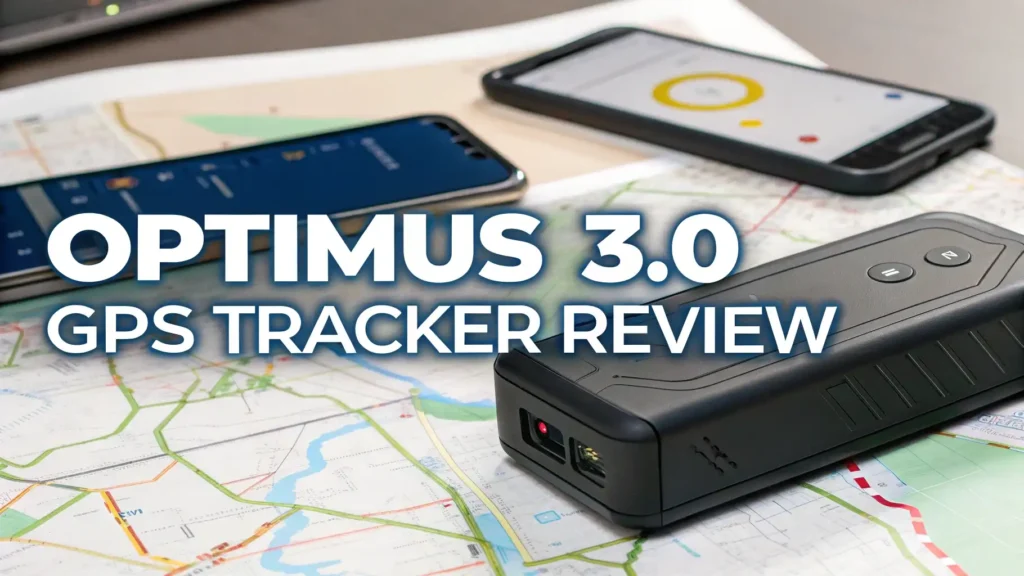
Key Takeaways:
- Battery Performance: The device offers up to two months of battery life when reporting location every minute, making it one of the longest lasting portable trackers available today.
- Waterproof Design: The included heavy duty waterproof case protects the tracker from rain, snow, and harsh weather conditions, ensuring reliable operation in any environment.
- Magnetic Mounting: Two powerful magnets built into the case allow for quick and secure attachment to any metal surface without tools or complicated installation procedures.
- Affordable Subscription: Monthly plans start at just $15.95 per month with no contracts, no activation fees, and no cancellation charges, making it budget friendly for long term use.
- Real Time Updates: The tracker provides location updates as frequently as every 10 seconds with upgraded plans, giving you accurate and timely information about your assets.
- User Friendly App: Compatible with both iOS and Android devices, the mobile app delivers instant alerts, geofencing capabilities, and detailed location history tracking.

Understanding the Optimus 3.0 GPS Tracker
The Optimus 3.0 represents the third generation of GPS tracking devices from Optimus Tracker. This compact device measures just 3.11 inches by 1.5 inches by 1.75 inches, making it small enough to hide almost anywhere.
The tracker uses 4G LTE cellular technology to transmit location data, ensuring reliable connectivity across the United States and many international locations. Unlike older GPS trackers that relied on 2G or 3G networks, the 4G connection provides faster data transmission and better coverage.
The device contains an internal motion sensor that helps conserve battery power when the tracker is stationary. This smart feature automatically puts the tracker into a low power mode when no movement is detected. When motion resumes, the tracker wakes up and begins sending location updates again.
Battery Life and Power Management Features
Battery life stands out as one of the strongest features of the Optimus 3.0 GPS Tracker. The device can operate for up to two months on a single charge when configured to report location every minute. This impressive runtime exceeds most competing trackers in the same price range.
The actual battery life depends on several factors including update frequency, temperature, and signal strength. If you set the tracker to report every 10 seconds, the battery will drain faster but still provides substantial usage time. The built in motion sensor technology plays a crucial role in extending battery life.
When the tracker sits still for a predetermined period, it enters sleep mode to conserve energy. This feature proves especially useful for tracking vehicles that park for extended periods. You receive notifications when the tracker detects movement, helping you respond quickly to unauthorized use.
Waterproof Case with Powerful Magnetic Mounting
The Optimus 3.0 comes bundled with a heavy duty waterproof twin magnet case that transforms the tracker into an all weather device. This protective housing seals the tracker against water, dust, and debris, making it suitable for outdoor use in any conditions.
The case features an IP67 waterproof rating, meaning it can withstand submersion in water up to one meter deep for 30 minutes. This level of protection ensures the tracker continues working through rain, snow, car washes, and other wet environments. Two extremely strong neodymium magnets are embedded in the case, providing secure attachment to any ferrous metal surface.
These magnets hold firmly enough to keep the tracker in place even during rough driving conditions or off road use. The magnetic mounting system eliminates the need for tools, wiring, or professional installation. You simply place the tracker on a metal surface under your vehicle, on equipment, or inside a metal container.
Real Time Tracking and Location Updates

The Optimus 3.0 delivers true real time GPS tracking with location updates as frequently as needed for your application. The standard configuration provides location reports every minute, which works well for most vehicle tracking scenarios.
If you need more frequent updates, you can upgrade to receive location data every 30 seconds, 20 seconds, or even 10 seconds. This flexibility allows you to balance tracking precision against battery consumption. The tracker uses both GPS satellites and cellular towers to determine location, providing accuracy within 15 to 30 feet under good conditions.
In urban areas with strong cellular signals, accuracy improves even further. The system maintains tracking capability even when GPS signals are weak or blocked. The cellular network helps fill in gaps where GPS alone might struggle. All location data transmits through the 4G LTE network to secure servers, where you can access it through the web portal or mobile app.
Top 3 Alternatives for Optimus 3.0 GPS Tracker


Mobile App and Web Platform Features
The Optimus tracking platform includes both a mobile app and web based interface that provide comprehensive monitoring capabilities. The smartphone app works seamlessly on both iOS and Android devices, offering the same functionality regardless of your phone brand.
The interface uses a clean, intuitive design that makes navigation simple even for users who are not tech savvy. The main screen displays a real time map view showing the current location of all your trackers. You can switch between different map types including standard, satellite, and hybrid views.
The app allows you to set up multiple geofences, which are virtual boundaries around specific locations. When a tracked device enters or exits a geofence, you receive an instant push notification. This feature works perfectly for monitoring when vehicles arrive at job sites, when teenagers drive outside permitted areas, or when equipment leaves your property.
Setting Up and Activating Your Tracker
Getting started with the Optimus 3.0 requires a straightforward activation process that takes just a few minutes. When your tracker arrives, it comes partially charged but you should fully charge it before first use. Connect the included USB cable to the tracker and plug it into a power source.
The LED indicator light shows charging progress and turns solid when the battery reaches full capacity. Next, you need to activate the cellular service by visiting the Optimus website and creating an account. The activation process requires you to enter the device serial number, which you can find on a sticker on the tracker.
You will select a subscription plan during activation, with options ranging from monthly to annual billing. After activation completes, which usually takes 15 to 30 minutes, you can download the mobile app and log in with your account credentials. The tracker should now appear on your map, showing its current location.
Subscription Plans and Monthly Costs
The Optimus 3.0 requires a monthly subscription to access the cellular network and tracking platform. This ongoing cost covers data transmission, server hosting, and app development. The basic subscription plan starts at $15.95 per month when paid monthly.
You can reduce the monthly cost by prepaying for longer periods, with options for quarterly, semi annual, and annual subscriptions. Annual plans offer the best value, reducing the effective monthly cost to around $13 per month. The subscription includes all tracking features with no hidden fees or premium tiers.
You get unlimited location updates, unlimited geofences, unlimited alerts, and unlimited historical data storage. There are no activation fees, no cancellation fees, and no contracts. You can cancel your subscription at any time without penalty, though you will lose access to tracking when the current billing period ends.
Installation Options for Different Vehicles

The magnetic case makes installation incredibly simple for most applications, but you have several options depending on your needs. For vehicle tracking, the most common placement is underneath the car attached to the metal frame or body. Popular locations include behind the front or rear bumper, inside the wheel well, or along the undercarriage frame rails.
These spots keep the tracker hidden from view while providing good GPS signal reception. Make sure to place the tracker where it will not get crushed, scraped, or exposed to excessive heat from exhaust components. For fleet vehicles or company cars, you might want a more permanent installation.
The Optimus brand also offers a hardwired GPS tracker that connects directly to the vehicle battery. This version provides unlimited runtime since it draws power from the vehicle electrical system. The hardwired model works well when you need continuous tracking without worrying about battery recharges.
Geofencing Capabilities and Alert System
Geofencing represents one of the most powerful features of the Optimus 3.0 tracking system. A geofence creates a virtual boundary around any location you choose. You can draw circular geofences of any size, from small areas around individual buildings to large zones covering entire cities.
The system allows you to create unlimited geofences, so you can monitor as many locations as needed. Each geofence can trigger customized alerts when the tracker enters or exits the zone. You choose whether to receive notifications via push notification, email, or SMS text message.
The flexibility lets you tailor the alert system to your workflow and urgency level. Common geofencing applications include monitoring when employees arrive at work sites, tracking when delivery vehicles reach customer locations, and receiving alerts when vehicles leave approved areas. Parents use geofencing to ensure teenagers stay within safe driving zones and do not visit prohibited locations.
Location History and Route Playback
The Optimus tracking platform automatically records and stores complete location history for all your trackers. This historical data provides tremendous value for reviewing past activities, analyzing travel patterns, and investigating incidents. The system saves location data indefinitely, with no time limit on how far back you can review.
The route playback feature lets you visualize the exact path a tracker followed during any time period. You select start and end dates, and the system displays the complete route on a map with timestamps. The playback includes stops and pauses, showing where and how long the tracker remained stationary.
This detailed information helps fleet managers verify employee work hours, analyze driving efficiency, and identify unauthorized stops. For personal use, parents can review where their teenagers drove, and individuals can track their own travel for mileage reimbursement. The history feature also generates trip reports that summarize distance traveled, time spent driving, and average speed.
Accuracy and Performance in Different Environments
GPS tracking accuracy depends on several environmental factors including satellite visibility, cellular signal strength, and atmospheric conditions. The Optimus 3.0 typically achieves accuracy within 15 to 30 feet under good conditions with clear sky views. In urban environments with tall buildings, accuracy may decrease slightly due to GPS signal reflection and blockage.
The device compensates by using cellular tower triangulation when GPS signals weaken. This hybrid approach maintains usable tracking even in challenging locations. In rural areas with fewer cellular towers, the device relies more heavily on GPS satellites, generally providing excellent accuracy due to unobstructed sky views.
Indoor tracking presents challenges for any GPS device since satellite signals do not penetrate buildings well. The Optimus 3.0 will show the last known outdoor location when the tracker moves inside. Once the tracker exits the building and regains GPS signal, it resumes accurate tracking.
Battery Charging and Maintenance Requirements
Maintaining your Optimus 3.0 involves minimal effort but requires attention to battery management. The tracker uses a rechargeable lithium ion battery that gradually loses capacity over time, as all rechargeable batteries do. With proper care, the battery should maintain good performance for two to three years before showing significant degradation.
To maximize battery lifespan, avoid letting the charge drop to zero frequently, and do not leave the tracker in extremely hot or cold environments for extended periods. The device includes low battery alerts that notify you when charge drops below a specified threshold, typically 20 percent.
This gives you time to retrieve and recharge the tracker before it powers off. Charging uses a standard micro USB cable, which you can replace easily if the original cable gets lost or damaged. A full charge cycle takes approximately two to three hours depending on how depleted the battery was.
Privacy and Security Considerations
GPS tracking technology raises important privacy and legal questions that users must understand. In most jurisdictions, you can legally track vehicles you own without restriction. However, tracking vehicles owned by other people or tracking individuals without their knowledge may violate privacy laws.
Before tracking employees, family members, or anyone else, research the legal requirements in your location. Many areas require written consent or advance notice before GPS monitoring begins. The Optimus platform uses encryption to protect location data during transmission and storage. Only users with valid login credentials can access tracking information for their devices.
The system includes password protection and optional two factor authentication for enhanced account security. You should use a strong, unique password and never share your login information. The tracking data belongs to you, and Optimus does not sell or share your information with third parties for marketing purposes.
Common Uses and Applications
The versatility of the Optimus 3.0 makes it suitable for numerous tracking applications across personal and business contexts. Fleet management represents one of the most common commercial uses, allowing businesses to monitor delivery vehicles, service trucks, and company cars. Fleet managers use tracking data to optimize routes, verify job completion, reduce fuel costs, and improve customer service.
Asset protection involves tracking valuable equipment, trailers, containers, and machinery to prevent theft and aid recovery if items go missing.
Construction companies track tools and equipment moving between job sites. Vehicle security gives car owners peace of mind by monitoring their vehicles 24/7 and receiving alerts if unauthorized movement occurs.
Comparison with Competing GPS Trackers
When evaluating the Optimus 3.0 against competing products, several factors distinguish it from alternatives. The LandAirSea 54 offers similar battery life and waterproof construction but costs slightly more per month for service. The LandAirSea device has a more compact form factor, making it easier to hide, but the magnetic mounting is not as strong.
The Tracki GPS Tracker provides longer battery life, up to several months with optimized settings, and includes international coverage in many countries. However, the Tracki subscription costs more and the device lacks the rugged waterproof case.
The Bouncie GPS Tracker plugs into the vehicle OBD port, providing unlimited power but requiring access to the diagnostic port under the dashboard. Bouncie offers additional vehicle diagnostic features but costs significantly more per month.
Frequently Asked Questions
How long does the Optimus 3.0 battery actually last in real world use?
The battery lasts between one and two months depending on your tracking frequency settings. If you configure the tracker to report location every minute, expect about 30 to 45 days of runtime. If you reduce updates to every five minutes, the battery can last 60 days or more. The motion sensor feature extends battery life by putting the tracker to sleep when stationary for extended periods.
Can I use the Optimus 3.0 GPS Tracker without paying for a subscription?
No, the tracker requires an active monthly subscription to function. The subscription covers cellular data transmission, server access, and app functionality. Without an active subscription, the device cannot communicate location data or provide tracking services. The subscription starts at $15.95 per month with no contracts or commitments.
Will the tracker work in locations outside the United States?
The Optimus 3.0 uses 4G LTE cellular networks that primarily cover the United States and some neighboring areas. The device will not work reliably in most international locations due to different cellular frequency bands and network compatibility. If you need international tracking, consider alternatives specifically designed for global use with international SIM cards.
How waterproof is the magnetic case that comes with the tracker?
The waterproof twin magnet case carries an IP67 waterproof rating, meaning it protects against water immersion up to one meter deep for 30 minutes. This rating ensures the tracker survives rain, snow, puddles, and car washes without damage. However, you should not intentionally submerge the tracker or expose it to water pressure beyond the rating specifications.
Can I track multiple vehicles with one subscription?
No, each tracker requires its own separate subscription. If you need to track multiple vehicles, you will purchase multiple trackers and pay a monthly fee for each device. However, all your trackers appear in the same mobile app and web platform, making it easy to monitor multiple assets from one interface.
How accurate is the location tracking in urban areas with tall buildings?
The Optimus 3.0 typically achieves accuracy within 15 to 30 feet in urban environments. Tall buildings can sometimes interfere with GPS signals through reflection or blockage, but the tracker uses cellular tower triangulation to supplement GPS data. This hybrid approach maintains usable accuracy even when GPS reception is less than ideal.
What happens if someone finds the tracker on my vehicle?
The tracker itself does not display any ownership information or contact details. However, if someone discovers and removes the tracker, you will see that it stopped moving and may suspect tampering. The device has no external markings indicating who owns it or what account it belongs to, providing some level of operational security.
How do I know when the tracker battery needs recharging?
The mobile app and web platform display current battery percentage for each tracker. You can configure low battery alerts that send notifications when charge drops below a threshold you specify, typically 20 percent. These alerts give you several days of warning before the battery completely drains, allowing time to retrieve and recharge the device.